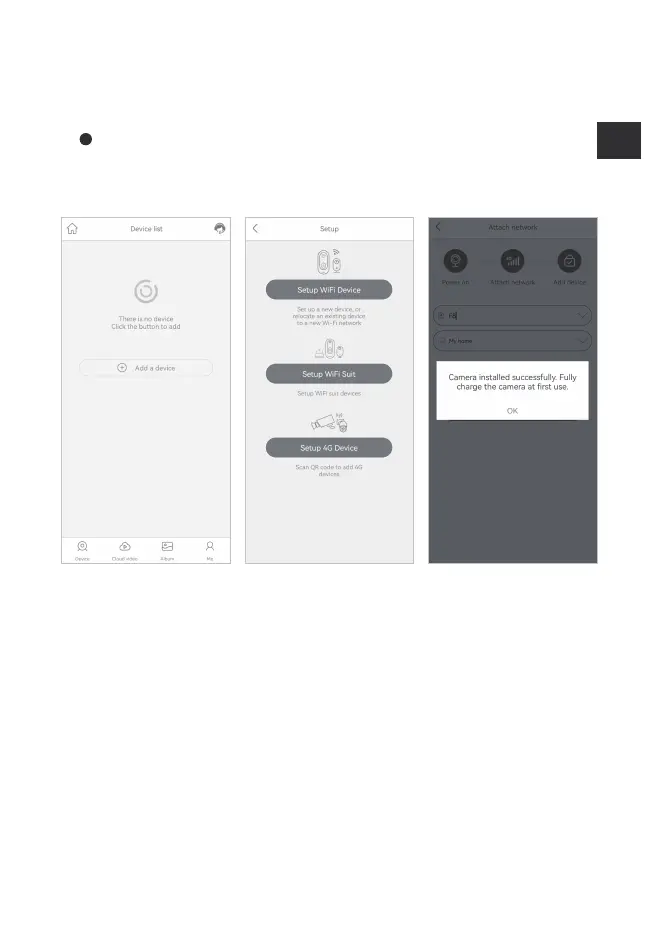
4. Add a device:
Click "Add a device" on the APP, select "Setup 4G Device", and
continue adding according to the APP guide
TIPS: notice for device addition failure
1. The SIM card is not inserted, the SIM card is not inserted correctly, or the SIM
card cannot be used;
2. Don not shake your mobile phone when scanning the QR code, and keep a
distance of 10-15cm between the mobile phone and the lens.
3. Restart the device and try again;
4. Please contact customer service at security@kfconcept.com if attempts to
connect remain unsuccessful.


 To Next Page