9
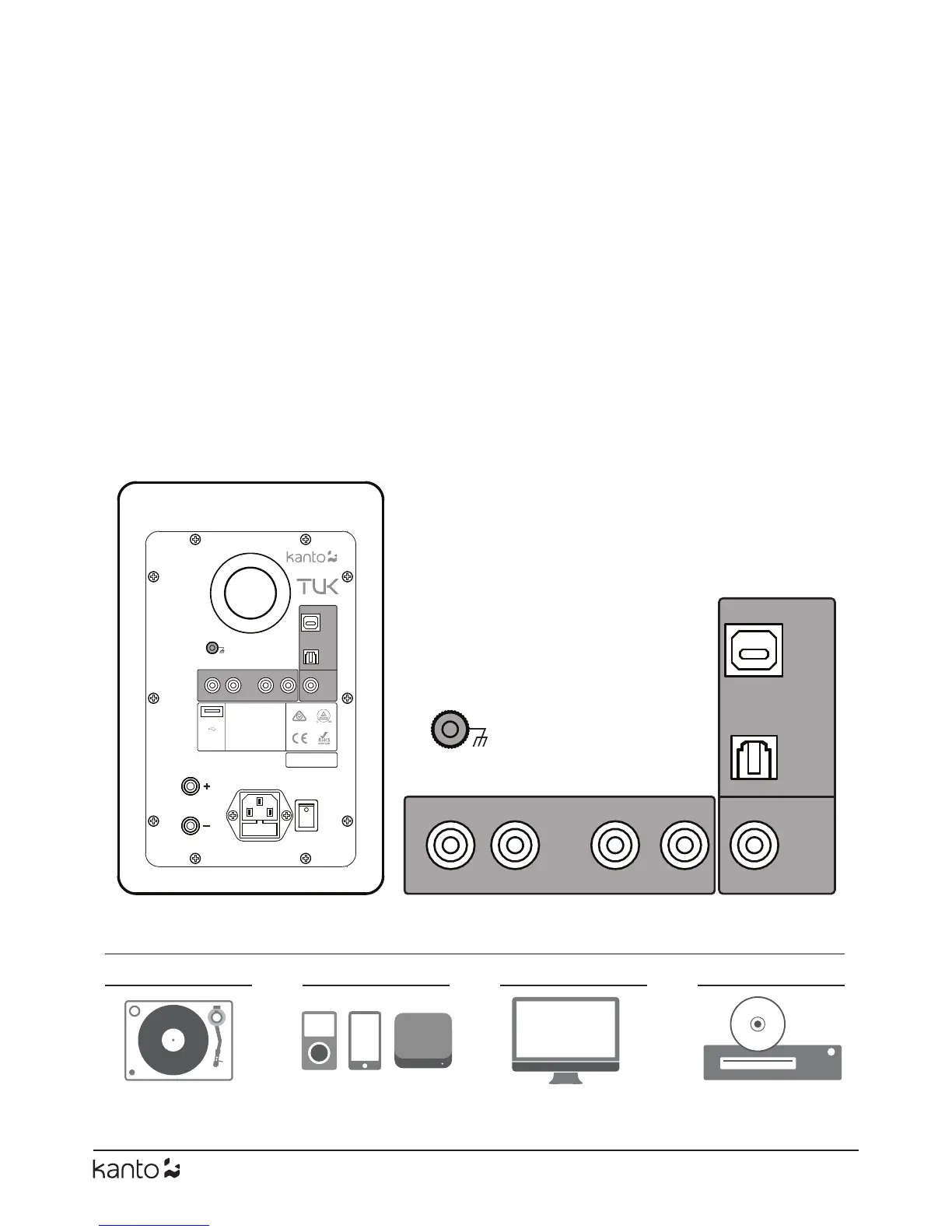
PHONO RCA USB OPTICAL
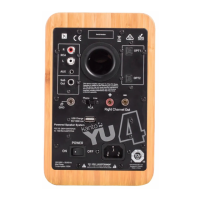
Common inputs (diagram not meant to be exhaustive - just examples)
SUB
OUT
OPT
RCA
USB
PHONO
GND
L R L R
OUT
This device complies with part 15
of the FCC Rules. Operation is
subject to the following two
conditions:
(1) This device may not cause
harmful interference, and (2) this
device must accept any
interference received, including
interference that may cause
undesired operation.
FCC ID: QKH-KANTOTUK
IC: 10678A-KANTOTUK
ON
OFF
POWER
5V / 2A
Serial Number
SUB
OUT
OPT
RCA
USB
PHONO
GND
L R L R
Connecting Audio Sources
Use the appropriate audio cable to connect your audio source components to your speakers.
• RCA - 3.5 mm stereo mini-jack AUX cable (included)
• Stereo RCA cable
• Optical Toslink cable (see Pg. 11 for TV / Home Theater setup)
• USB A / B cable (commonly referred to as a "printer cable", included)
TUK features a built in Phono Pre-Amp that allows you to connect directly to a turntable.
• Please see Pg. 10 for more information about connecting turntables
TUK features a built in USB DAC that allows you to connect directly to a computer.
• Please see Pg. 11 for more information about connecting via USB
TUK features Bluetooth 4.2 and supports Qualcomm® aptX™, aptX™HD and AAC codecs.
• Please see Pg. 12 for more information about connecting via Bluetooth
Pg.10 Pg.11Pg.10 Pg.11


 To Next Page