EasyManua.ls Logo

Kantronics KPC-2 - 5-Pin DIN Radio Connector for KPC-1

Default Icon
86 pages
Print Icon
To Next Page IconTo Next Page
To Previous Page IconTo Previous Page
Loading...
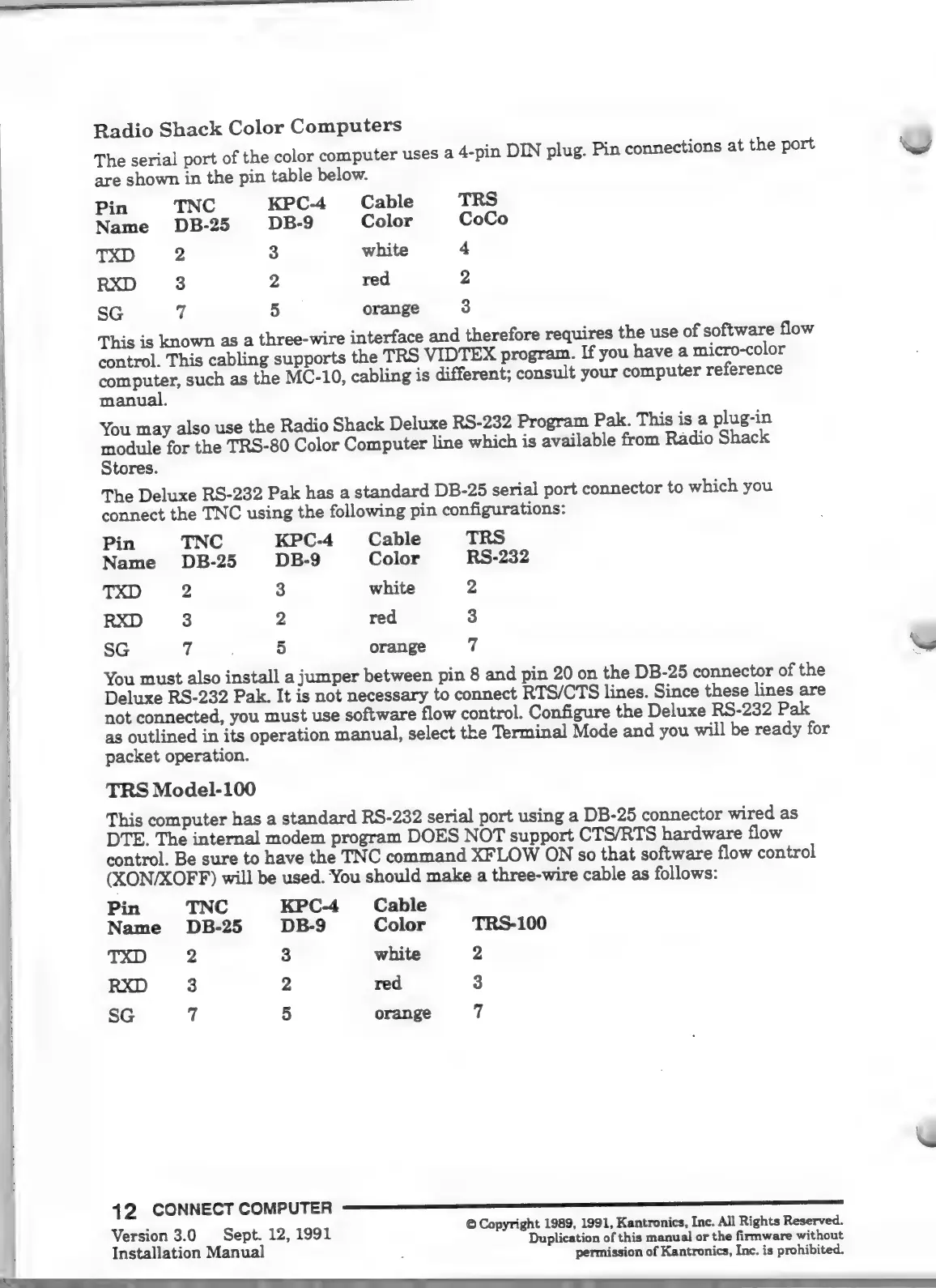
Radio
Shack
Color
Computers
The
serial
port
of
the
color
computer
uses
2
4-pin
DIN
plug.
Pin
connections
at
the
port
Ww
are
shown
in
the
pin
table
below.
Pin
TNC
KPC-4
Cable
TRS
Name
DB-25
DB-9
Color
CoCo
TXD
2
3
white
4
RXD
3
2
red
2
50
y
5
orange
3
This
is
known
as
a
three-wire
interface
and
therefore
requires
the
use
of
software
flow
control.
This
cabling
supports
the
TRS
VIDTEX
program.
If
you
have
a
micro-color
computer,
such
as
the
MC-10,
cabling
is
different;
consult
your
computer
reference
manual.
You
may
also
use
the
Radio
Shack
Deluxe
RS-232
Program
Pak.
This
is
a
plug-in
module
for
the
TRS-80
Color
Computer
line
which
is
available
from
Radio
Shack
Stores.
The
Deluxe
RS-232
Pak
has
a
standard
DB-25
serial
port
connector
to
which
you
connect
the
TNC
using
the
following
pin
configurations:
Pin
TNC
KPC-4
Cable
TRS
Name
DB-
25
DB-
9
Color
RS-232
TXD
2
3
white
2
RXD
3
2
red
3
SG
7
5
orange
7
M
You
must
also
install
a
jumper
between
pin
8
and
pin
20
on
the
DB-25
connector
of
the
Deluxe
RS-232
Pak.
It
is
not
necessary
to
connect
RTS/CTS
lines.
Since
these
lines
are
not
connected,
you
must
use
software
flow
control.
Configure
the
Deluxe
RS-232
Pak
as
outlined
in
its
operation
manual,
select
the
Terminal
Mode
and
you
will
be
ready
for
packet
operation.
TRS
Model-100
This
computer
has
a
standard
RS-232
serial
port
using
a
DB-25
connector
wired
as
DTE.
The
internal
modem
program
DOES
NOT
support
CTS/RTS
hardware
flow
control.
Be
sure
to
have
the
TNC
command
XFLOW
ON
so
that
software
flow
control
(XON/XOFF)
will
be
used.
You
should
make
a
three-wire
cable
as
follows:
Pin
TNC
KPC-4
Cable
Name
DB-25
DB-9
Color
TRS-100
TXD
2
3
white
2
RXD
3
2
red
3
50
7
5
orange
7
:
©
Copyright
1989,
1991,
Kantronics,
Inc.
All
Rights
Reserved.
Ie
3.0
Sept.
12,
1991
Duplication
of
this
manual
or
the
firmware
without
Installation
Manual
permission
of
Kantronics,
Inc.
is
prohibited.

Other manuals for Kantronics KPC-2

Related product manuals