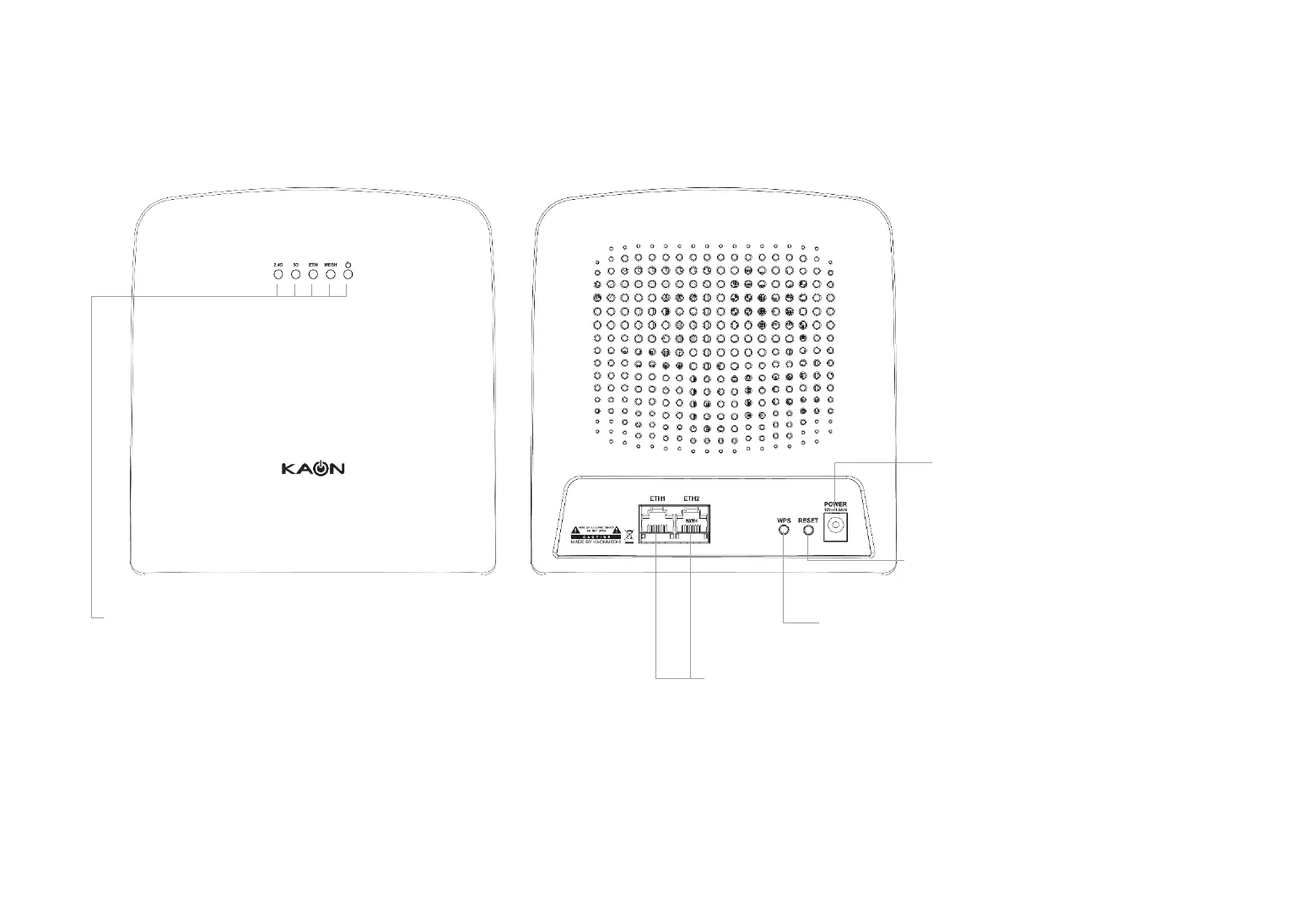
LED: 2.4G, 5G, ETH, MESH, POWER
Ethernet Ports: For connecting AR3030W to your home
gateway, the Ethernet outlet or other internet devices.
WPS Button: For creating a mesh network between
AR3030W devices
Reset Button: For resetting AR3030W to
factory default settings
Power Connector: For Connecting
AR3030W to the a power outlet via the
provided power adaptor
Product Overview
Each AR3030W has five (5) LEDs, two (2) RJ-45 Gigabit Ethernet LAN ports, WPS and RESET buttons and a Power
Connector. See the explanation below:
4


 To Next Page