Need help?
Do you have a question about the Kaon KCF-220 MCO and is the answer not in the manual?
Essential safety guidelines to prevent injury and equipment damage.
Instructions to avoid self-repair and use authorized service personnel.
Explains the purpose of each button on the remote control.
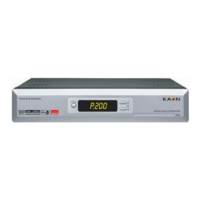
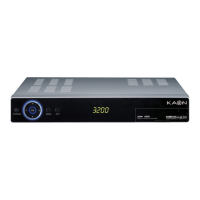
Describes the front panel's display and slots.
Lists and describes all the input/output ports on the rear panel.
Details how to connect the STB to audio/video devices.
Connecting to audio systems and using loop-through.
Setting up the receiver with terrestrial antennas.
Connecting the receiver for software updates.
Explains front panel display codes during setup.
Displaying program details and on-screen banners.
Adjusting volume, mute, soundtrack, and audio output.
Accessing teletext, subtitles, and setting timers.
Browsing and selecting channels from the list.
Using the wizard for automatic installation and system connection.
Configuring language, local time, and searching for channels.
Navigating the primary menu structure of the receiver.
Steps for automatic and manual channel scanning.
How to choose and organize channels from the displayed list.
Creating favorites, locking, deleting, skipping, and moving channels.
Categorizing channels by content type.
Accessing current, next, and weekly program schedules.
Setting menu, audio, subtitle languages, and screen type.
Configuring RF mode, channel, and banner display time.
Setting local time, PIN code, and various lock functions.
Auto power, factory reset, and system information.
Information on using smartcards for conditional access.
Accessing games, demonstration, calendar, zoom, and calculator.
Addressing issues like no power, no picture, or remote failure.
Details on demodulation, frequency, and modulation standards.
Video resolution, audio decoding, memory, and CPU details.
Input voltage, consumption, dimensions, weight, and operating conditions.
Details on embedded CAS and software uploads.
 General
| Tuner Type | DVB-C |
|---|---|
| Video Decoding | MPEG-2, MPEG-4, H.264 |
| Type | Cable Receiver |
| Audio Decoding | AAC |
| Video Output | HDMI, Composite |
| Audio Output | HDMI |
| USB Port | USB 2.0 |
| Ethernet | Yes |
| Power Consumption | 15 W |


 To Next Page