EasyManua.ls Logo

Kaon KTSC-S660HD - User Manual

Kaon KTSC-S660HD
47 pages
Print Icon
To Next Page IconTo Next Page
Loading...
COVER_ENG
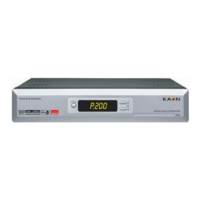
Digital Combo Receiver
KTSC-S660HD
User's Manual

Questions and Answers

Summary

General Safety

Warning

Instructions to avoid injury to yourself or damage to your equipment.

Servicing

Do not attempt to service yourself; refer all servicing to authorized personnel.

OPERATION HANDBOOK

Channel Search

Function to search for channels.

System Setting

Function to configure receiver settings.

Remote Control Unit

Core Operation Buttons

Buttons for power, navigation, selection, and tuning.

Information & Program Access Buttons

Buttons for accessing program info, guides, teletext, and subtitles.

Front Panel

Front Panel Controls

Buttons for power, navigation, selection, and volume/channel control.

Front Panel Details

Rear Panel

Connecting Your Equipment

Connect STB to TV - Scart, S-Video, A;V

How to connect STB to TV using Scart, S-Video, or A/V.

TV with Terrestrial Antenna

Connecting STB to TV with terrestrial antenna.

Connect STB to TV - Component

How to connect STB to TV using Component video for enhanced quality.

TV with Motorized System (DiSEqC 1.2)

Connecting STB to TV with a motorized satellite system.

Connect STB to TV - HDMI

How to connect STB to TV using HDMI for digital audio/video.

Basic Operation

Menu Guide

Easy Installation

Initial setup wizard for language, connection, and channel search.

Main Menu Functions

Channel Management

Search, list, and edit channels.

Program & System Settings

Access program guide and configure system settings.

Channel Search

Satellite Search Mode

Select search mode (None, Switch, Motor, USALS).

Scan Parameters Setup

Configure frequency, symbol rate, polarity, FEC for scanning.

C;KU Switch and Position Settings

Select C/KU band and set motor position for satellite.

USALS Latitude and Longitude Settings

Set latitude and longitude for USALS satellite positioning.

Terrestrial Automatic Search

Automatically search for terrestrial channels across all MUXs.

Terrestrial Manual Search

Search for specific terrestrial MUXes manually.

LNB Frequency and Power Settings

Configure LNB frequency and power for satellite reception.

Satellite List Scanning

Scan satellite list for channels using network or FTA search.

Edit Channel List

Editing Favorites, Lock, Skip, Move, Genre

Modify channel lists by editing, locking, skipping, moving, or assigning genres.

Program Guide

System Setting

Change PIN Code

Change the default PIN code for security.

Menu Lock Setting

Lock access to specific menus with a PIN code.

S;W Upgrade via USB

Update software using a USB drive.

Parental Lock Configuration

Enable or disable parental lock for channels.

Factory Reset Procedure

Reset receiver settings and channels to defaults.

Receiver Lock Functionality

Enable or disable receiver lock on startup.

Common Interface

CA Module and Smart Card Access

Access scrambled services with CI modules and smart cards.

Troubleshooting

No Display or Power Issues

Solutions for problems with no display LED or power.

Picture and Sound Problems

Solutions for poor picture quality and no sound.

Remote Control and Service Issues

Troubleshooting remote control operation and scrambled service.

PIN Code and HD Picture Quality

Solutions for forgotten PIN codes and poor HD picture quality.

Technical Specifications

Tuner Specifications

Details on satellite and terrestrial tuner parameters.

Kaon KTSC-S660HD Specifications

General IconGeneral
HDTV CompatibleYes
Tuner TypeDVB-S2
HDMI OutputYes
Video OutputHDMI, Composite
Supported Resolutions1080i
ConnectorsHDMI, USB
Video DecodingMPEG-2, MPEG-4
Audio DecodingMPEG-1 Layer I/II
USB PortYes

Related product manuals