Manual
Article No.: 843025
5
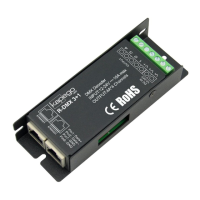
5. RJ45 assignment
1. WHT/ORG Data 1 +
3. WHT/GRN Data 2 +
5. WHT/BLU N/C
7. WHT/BRN Data 1 COM
8. BRN Data 2 COM
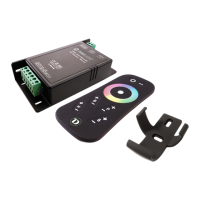
6. Touch-Remote
Operation: 2x AAA Batterien (excl.)
Frequency: 2,4 GHz
Distance: ca. 20 m (inside)
Dimension (LxWxH): 110 x 52 x 20 mm
On/O Switch: addressing with “ON”
Touch Wheel: RGB
Program Button “P”: Change the program
Speed Button “S”: Speed control
Dim Button “B”: Brightness
White Button „W“: White Dimmer
1. Connect Touch-Controller with White RF Controller
a. Switch on the Power of the RGB RF Controller and wait ca. 1s and then push the
“ON” button on the Touch-Controller, after that the LED ashes up 3 times, then the
Touch-Controller and the Controller are connected.
b. If this step isn’t working please try again.
2. Disconnect Touch-Controller from RGB RF Controller
a. Switch on the LED bulb and wait ca. 1s and then hold the “ON” button again till the
LED ashes up 9 times, then the Touch-Controller and the RGB RF Controller are
disconnected.
b. Now you can address the White RF Controller again with the same or another Touch-
Controller.
RJ 45
1 - WHT/ORG Data 1 +
3 - WHT/GRN Data 2 +
5 WHT/BLU N/C
7 - WHT/BRN Data 1 COM
8 - BRN Data 2 COM
1
3
5
7
8


 To Next Page