EasyManua.ls Logo

Kärcher KM 105/110 R Bp - User Manual

Kärcher KM 105/110 R Bp
24 pages
Print Icon
To Next Page IconTo Next Page
Loading...
Register
your product
www.kaercher.com/welcome
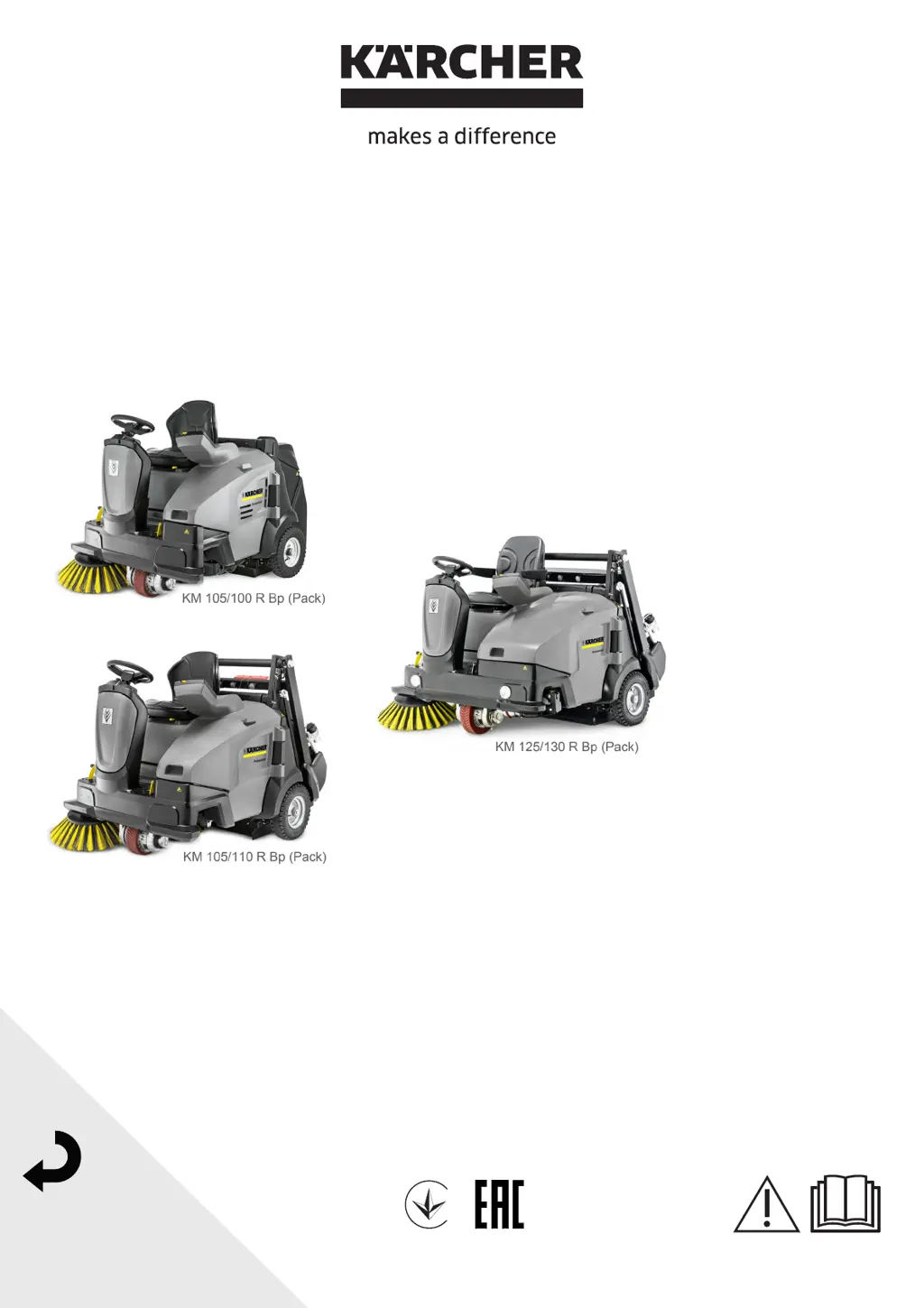
KM 105/100 R Bp (Pack)
KM 105/110 R Bp (Pack)
KM 125/130 R Bp (Pack)
001
59990870 06/22
Deutsch 3
English 26
Français 48
Italiano 70
Nederlands 92
Español 113
Português 134
Dansk 155
Norsk 177
Svenska 198
Suomi 218
Ελληνικά 240
Türkçe 262
Русский 282
Magyar 304
Čeština 326
Slovenščina 348
Polski 369
Româneşte 390
Slovenčina 411
Hrvatski 432
Srpski 454
Български 475
Eesti 497
Latviešu 519
Lietuviškai 540
Українська 561

Table of Contents

Other manuals for Kärcher KM 105/110 R Bp

Questions and Answers

  • W
    William MillerSep 12, 2025
    What does it mean when my Kärcher Lawn Sweeper displays 'Seat switch open'?
    • K
      Kathryn MclaughlinSep 12, 2025
      This message appears if the seat is left for more than 1.5 seconds in drive mode. To resolve this, sit on the driver's seat. The selected sweeping/transport operation will start fully automated.
  • A
    Abigail CantuAug 25, 2025
    What to do if Kärcher KM 105/110 R Bp Floor Machine displays 'Charge battery!'?
    • B
      brandonnobleAug 25, 2025
      This message appears if the battery voltage is low. To resolve this, charge the battery.
  • N
    Nathaniel SchmidtAug 26, 2025
    Why does my Kärcher Floor Machine display 'Dirt pan open!'?
    • N
      Nathan HendersonAug 26, 2025
      This message appears (low emptying system) as soon as a transport or sweeping program has been selected and at least one waste container is removed. To fix this, lock all waste containers in place and turn the program selector switch to "ON". The message should disappear, and the appliance will be ready for operation.
  • M
    Marissa SnyderSep 23, 2025
    What does 'Display Invalid KiK! Operation locked' mean on my Kärcher Lawn Sweeper?
    • D
      Deanna MillsSep 23, 2025
      The identification of the inserted key is unknown. To resolve this, insert an approved KIK-key (Kärcher Intelligent Key).
  • K
    Kenneth BradleySep 13, 2025
    Why does Kärcher Lawn Sweeper display 'Motorhood open!'?
    • J
      Judy GomezSep 13, 2025
      This message appears if the left side cover is not properly locked in place. To fix this, completely close the left cover and lock it in place, then turn the program selector switch to "ON".
  • R
    Raymond SmithSep 18, 2025
    Why does my Kärcher Lawn Sweeper show 'MF-module not ready to use x'?
    • C
      crystal09Sep 22, 2025
      This message appears if the control panel has no connection to the machine control. To resolve this, perform a program selector switch reset (OFF position).
  • A
    Allison SmithSep 6, 2025
    What to do if Kärcher KM 105/110 R Bp displays 'MF-module not ready to use x'?
    • N
      natalie82Sep 6, 2025
      This message appears if the control panel has no connection to the machine control. Perform a program selector switch reset (OFF position).
  • G
    greenestephanieSep 7, 2025
    What does 'Easy oper.switch must be OFF next' mean on Kärcher Floor Machine?
    • T
      Tyler WatkinsSep 7, 2025
      This message appears in connection with message 23. For safety reasons, starting up the appliance requires switching off the program selector switch (OFF position).
  • J
    Jennifer WillisSep 23, 2025
    What does 'Valid KiK but no operation rights' mean on my Kärcher Lawn Sweeper?
    • M
      Mario LeSep 23, 2025
      The KIK-key (Kärcher Intelligent Key) is known, however not approved for this appliance. To solve this, insert an approved KIK-key (Kärcher Intelligent Key) or programme the key with the Supervisor Intelligent Key.
  • E
    Elizabeth JohnsonAug 30, 2025
    Why is my Kärcher KM 105/110 R Bp Floor Machine displaying 'High dump tracer stuck! Check it!'?
    • A
      Amy JonesAug 31, 2025
      The function of the two-hand operation button is checked for its safety function when the appliance is switched on. Release the two-hand operation button, then confirm the message with the OK key (delete).

Summary

Safety Instructions and Operation

Safety: Operation and Driving

General safety precautions for operating and driving the sweeper.

Control Panel and KIK-Key Operation

KIK-Key Settings and Menu Options

Explains yellow/grey KIK-key use, language, and menu configurations.

Operational Safety and Startup Procedures

Battery Management and Charging

Recommended Batteries, Chargers, and Installation

Recommendations for batteries, chargers, installation, and charging procedures.

Charging and Initial Startup

Pre-Startup Checks and Operation Start

Outlines daily checks, operation adjustments, storage, and startup.

Driving and Sweeping Operations

Machine Driving Controls and Braking

Details driving forward, reverse, and braking operations.

Sweeping Modes and Flap Operation

Explains sweeping modes, flap operation, and floor types.

Sweeping Conditions and Waste Disposal

Care, Maintenance, Storage, and Shutdown

General Maintenance and Customer Tasks

Covers general notes, cleaning, intervals, customer tasks, and wear-based maintenance.

Detailed Maintenance and Component Checks

Brush and Roller Maintenance Procedures

Details checking and replacing side brushes and roller brush halves.

Filter and Drive Belt Maintenance

Troubleshooting Common Failures

Failure Analysis and Correction Steps

Lists common appliance failures and their corresponding corrective actions.

Plain Text Display Troubleshooting

Interpreting Display Messages and Corrective Actions

Explains display messages, their meanings, and corrective actions for operators.

Advanced Display and Coded Error Troubleshooting

Additional Display Errors and Coded Message Interpretation

Covers further display messages and how to interpret coded error messages.

Technical Specifications Overview

Detailed Technical Specifications

Kärcher KM 105/110 R Bp Specifications

General IconGeneral
BrandKärcher
ModelKM 105/110 R Bp
CategoryFloor Machine
LanguageEnglish

Related product manuals