For More Detailed Information, Consult the Instruction Manual
Quick Start Guide for TELE PACK+ VET
Device Overview
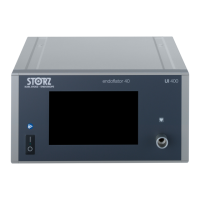
Touch Screen Display
• Navigate device control functions and menus
• On-screen keyboard for entering patient information
USB Ports
USB 2.0 ports for connectivity/exporting to –
• External storage devices (FAT32-formatted)
• Keyboard
• Printer
• Footswitch
• KARL STORZ-approved accessories
Audio Jacks
• (rear) 3.5 mm jacks for audio in/out
C-Line
Camera Connection Input
Compatible with –
• Single-use exible videoscopes
• H1 camera head (enabling use with rigid and semi-rigid
telescopes, and exible berscopes)
Note: Be sure to line up the arrows to ensure that the pins
are in the correct orientation, gently push the connector
into the socket until you hear a click.
LED Light Source and Insufation Pump
• Allows for both manual and automatic
light intensity modes via the on-screen
Light Source button
• 2 level airpump controlled via on-screen
airpump button
• Congured for direct connection to GI videoscopes,
adaptable to standard light guide cables for use
with rigid and semi-rigid telescopes, and exible
berscopes using adaptor 495KS or 20030030
Power Button
• Glows white when device is plugged in
•
Turn On: Press and hold for 2 seconds until the
button illuminates green
•
Turn Off: Press and hold until device powers off
X-Line Camera Connection Input
Compatible with –
• HD videoscopes
• HX Camera heads (enabling use with rigid,
semi-rigid, and exible berscopes)
• CCD GI videoscopes (with adaptor TC013)
HD Videoendoscope Adaptor
• Integrated adaptor for direct connection to select
KARL STORZ HD GI videoscopes
• CCD GI videoscopes require video connecting cable
TC013 (available separately)
Holder for water bottle or camera head
available separately (TP002)

 Need help?
 General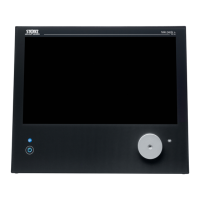






 To Next Page