Need help?
Do you have a question about the Karma EVO Altus and is the answer not in the manual?
Details the wiring configurations for actuator motor connections.
Explains the wiring diagrams for the support wheel switches.
Outlines the steps for programming the Evo Altus V01.0.1 version.
Details how to use the Calibration key tool to enter automatic calibration mode.
Outlines the necessary seat positioning steps before automatic calibration.
Explains the procedure to start the automatic calibration mode via the key switch.
Details error code 0x96A0 and troubleshooting for calibration failures.
Lists and explains fault codes in the 968 series related to feedback position failures.
Lists and explains fault codes in the 969 series related to calibration data failures.
The Karma EVO Altus is a sophisticated power wheelchair designed to enhance mobility and independence for users. This manual provides comprehensive instructions for its programming, calibration, and maintenance, ensuring optimal performance and safety.
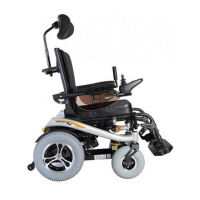
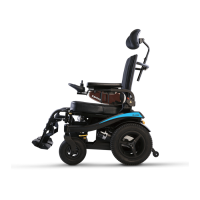
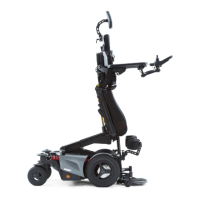
The EVO Altus is equipped with multiple actuators that control various seating functions, including negative tilt, tilting, backrest recline, legrest elevation, and support wheel positioning. These functions allow for a wide range of seating adjustments, enabling users to achieve comfortable and therapeutic positions, such as standing, sitting, and lying. The chair's design emphasizes user comfort and postural support, crucial for individuals who spend extended periods in a wheelchair.
The power wheelchair features an R-net control system, which manages the actuators and allows for precise control over the chair's movements and seating adjustments. The R-net system requires specific programming and calibration to ensure all functions operate correctly and safely. This includes uploading default files and calibrating each actuator to its proper range of motion and position.
A key feature of the EVO Altus is its automatic calibration mode (ACM). This mode simplifies the setup process by guiding the user through a sequence of steps to calibrate the seat actuators. Proper calibration is essential for the chair's functions to work within their intended limits and to prevent potential issues such as crashing the legrest or incorrect standing angles.
The support wheels of the EVO Altus have a dual functionality: they act as anti-tippers, providing stability when the chair is in motion, and can be raised for driving up ramps. This adaptability enhances the chair's versatility, allowing it to navigate various terrains and obstacles safely. The system automatically reduces driving speed when the support wheels are in the "maximum up" position for ramp climbing, prioritizing safety.
The chair's control system also incorporates various inhibit functions and speed limits. These are critical for safety, preventing unintended movements or collisions. For example, a drive inhibit can be activated at low seat heights or with the legrest in a high position to prevent the legrest from colliding with the ground.
Operating the EVO Altus involves using the joystick module display, which provides visual feedback on the chair's status and selected functions. To enter the automatic calibration mode, a special calibration key tool is used in conjunction with the key switch. This process requires careful timing, ensuring the key switch is pushed until the normal driving screen appears, then released. This prevents accidental entry into or exit from the calibration mode.
Before initiating automatic calibration, the chair must be prepared by positioning the seat into a specific starting configuration: negative tilt in flat position, tilt in flat position, backrest in vertical position (90°), and legrest in vertical position (90°). This ensures that the calibration process starts from a known, consistent state.
Once in ACM, the user pushes the joystick forward and secures it with a rubber band. The system then automatically cycles through a sequence, calibrating each seat actuator. A long beep indicates successful calibration, while two short beeps signal a failure, prompting the user to re-evaluate the setup.
Fine-tuning adjustments are available to customize the standing height and standing angle. These adjustments are made by modifying specific inhibit values within the R-net system. For instance, the maximum standing angle can be set by adjusting the "upper threshold" of Inhibit 18, and the standing height by adjusting the "middle threshold" of Inhibit 20. Similarly, default backrest and legrest angles for both standing and sitting positions can be adjusted using their respective inhibits.
The manual also details how to manage speed inhibits to prevent the legrest from crashing at low seat heights. By configuring drive inhibit 20, band 0, the driving speed can be reduced to 0% or 10% when the tilt inhibit is active, providing an additional layer of safety.
Maintenance of the EVO Altus primarily involves programming and calibration procedures. The manual outlines the steps for programming the flash of the CSXM (Control System eXtended Module) and uploading R-net default files. These steps are crucial for ensuring the chair's software is up-to-date and correctly configured.
The programming process involves connecting the chair to a computer, opening specific software (FOCApp), loading the configuration, and initiating the programming sequence. During this process, it is critical not to switch off the chair to avoid corrupting the flash memory. If an error occurs during programming, such as a CAN interface connection issue, troubleshooting steps include restarting the PC or reconnecting the dongle.
The R-net OEM software is used to upload the R-net OEM files, which set the initial parameters for the wheelchair. After this, the CxSM developer software is used to open and write the R-net file once more, ensuring all parameters are properly set. It is important to close the OEM R-net software before opening the CxSM developer software, as the dongle can only handle one program at a time.
The manual also provides a comprehensive list of error codes for the EVO Altus, categorized by calibration procedure failures and 968/969 series fault codes. These codes help in diagnosing issues related to feedback position failures or calibration data failures for specific actuator channels. Understanding these error codes is vital for effective troubleshooting and maintenance. For example, a "calibration procedure failed" error (0x96A0) suggests checking debug settings for communication or feedback issues. If this error occurs, the seat should be returned to the basic seating position before attempting recalibration.
 General
| Frame Type | Folding |
|---|---|
| Wheel Size | 24" |
| Seat Width | 16", 18", 20" |
| Weight Capacity | 136 kg |
| Chair Weight | 13.5 kg |
| Backrest Height | 16" |
| Armrest Height | 9" |
| Frame Material | Aluminum |

 To Next Page