
 Need help?
Do you have a question about the kasa HS210 KIT and is the answer not in the manual?
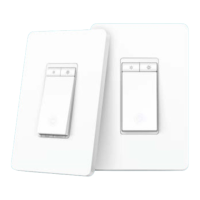
Details the physical components and controls of the main dimmer unit.
Describes the physical components and controls of the satellite dimmer unit.
Displays all added Kasa devices and their status on the app's main screen.
Instructions on how to quickly toggle the dimmer's power state via the app.
Steps to set custom brightness levels directly from the device's status page.
Instructions for configuring preset brightness levels using the dedicated 'Presets' tab.
Guide to customizing the name and icon associated with the smart dimmer.
Learn to adjust fade speeds for on/off and long-press actions.
Explains the function of the LED status light and how to control it.
Access detailed guides on advanced features like double-tap and scenes.
Steps to calibrate the dimmer for optimal brightness and avoid flickering.
Factory reset the dimmer by removing it from the Kasa account.
Steps to reset the device to factory settings via the app's device settings.
How to perform a factory reset or Wi-Fi reset using the physical button.
Set up automations triggered by Kasa camera motion detection.
Link dimmer actions to control other Kasa devices.
Automate scene activation based on scheduled times.
Set a timer to automatically turn off the dimmer after a specified duration.
Guide to connect the Kasa dimmer with Amazon Alexa for voice control.
Instructions for integrating the Kasa dimmer with Google Assistant.
Details regulatory compliance with FCC standards for electronic devices.
Information regarding compliance with Canadian industry regulations.
Disclosure of restricted substances in product components as per regulations.
Important guidelines for safe handling, installation, and operation of the device.
Interpretation of symbols used on the product label and in the manual.
Guidelines for maintaining a safe and organized working environment.
Essential precautions related to electrical connections and usage.
Recommendations for personal protection and awareness during operation.
Proper methods for using and maintaining power tools safely.
Instructions for attaching and detaching the surface grinding shroud.
Steps for installing specific types of diamond cup wheels.
Guide for connecting the dust extraction system to the shroud.
Instructions on how to replace the brush skirt of the shroud.
 General
| Connectivity | Wi-Fi |
|---|---|
| Wi-Fi Frequency | 2.4 GHz |
| App Control | Kasa Smart App |
| Voltage | 120 V |
| Wireless Standard | IEEE 802.11b/g/n |
| Current | 15 A |
| Remote Access | Yes |
| Brand | TP-Link |
| Model | HS210 KIT |
| Control Method | App, Voice |
| Number of Switches | 2 |
| Maximum Load | 15 A |
| Color | White |
| Voice Control | Amazon Alexa, Google Assistant |
| Certification | UL |
| Operating Temperature | 0°C ~ 40°C (32°F ~ 104°F) |

 To Next Page