25
Create Groups
With groups, you can control multiple devices simultaneously. This page allows you to add your Smart 3-Way Dimmer and your other Kasa smart
devices to a group for unied management.
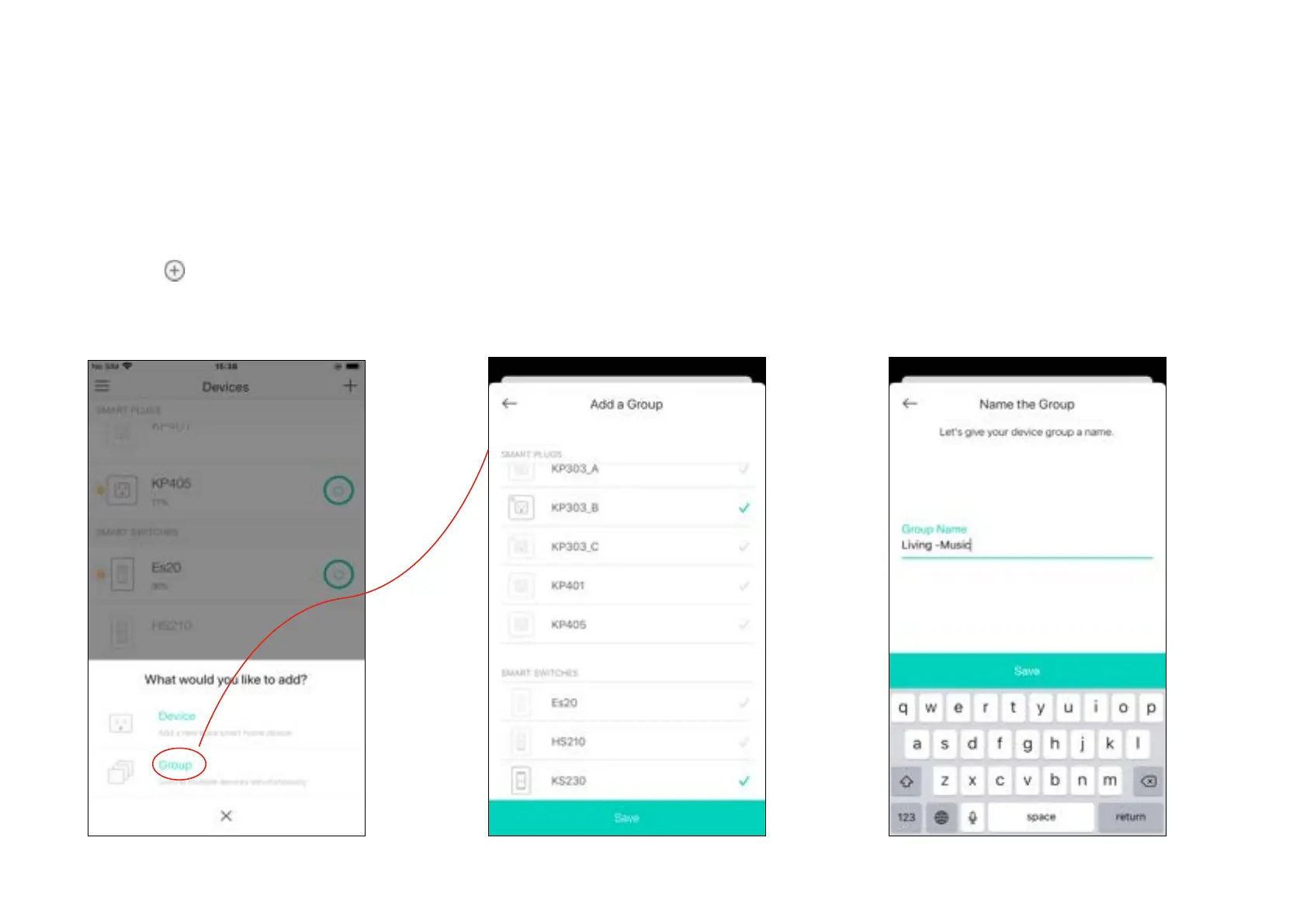
1. Create groups
1. Tap the button in the Home page of the
Kasa Smart app, and select Group.
2. Select your Smart 3-Way Dimmer and other
Kasa smart devices and tap Save.
E.g. Group my Smart 3-Way Dimmer and Kasa
smart plug (with a speaker plugged in) together.
3. Name the group.


 To Next Page