Wireless ADSL Router USER MANUAL
16
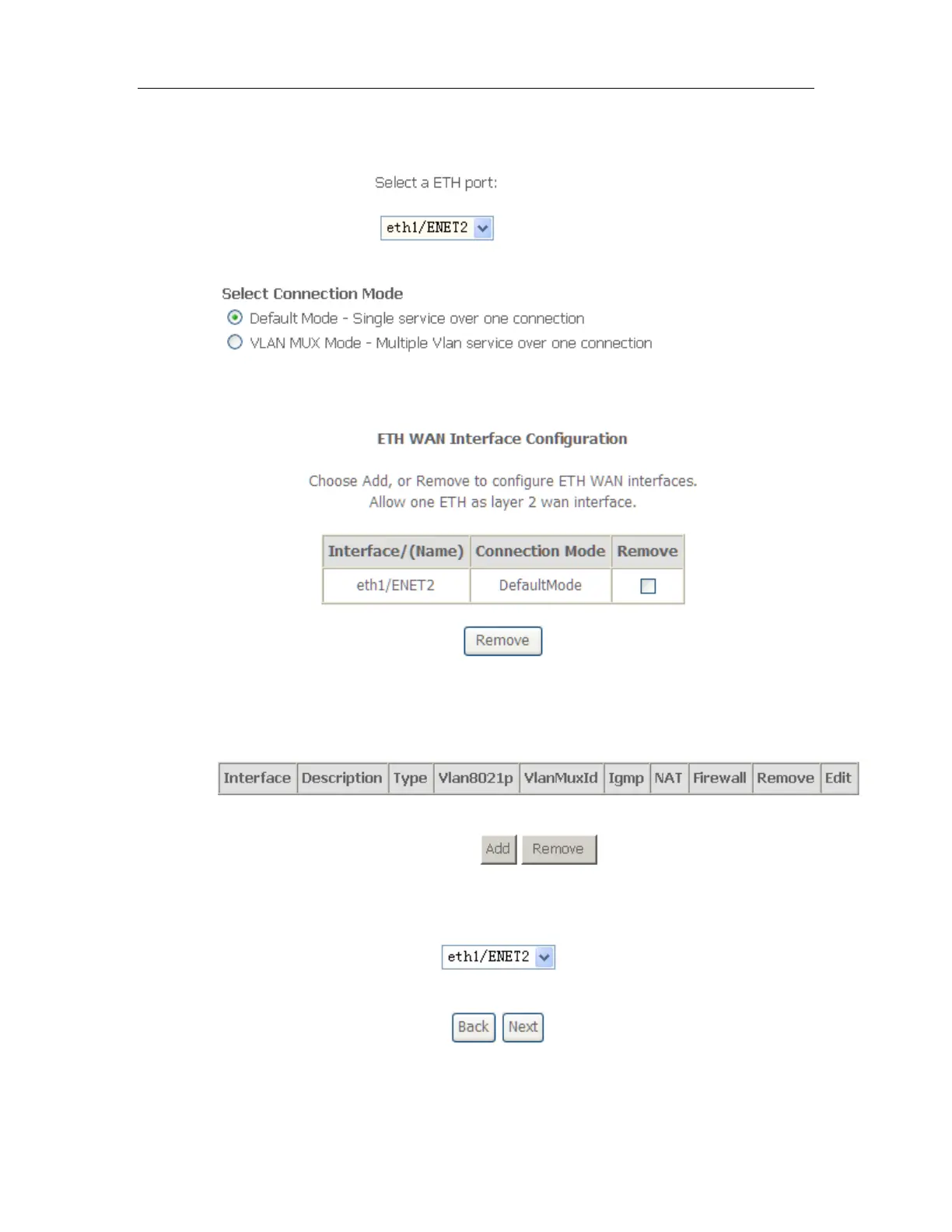
3. Select a ETH port as you will. You can select ENET1, ENET2, ENET3 or ENET4
port as the WAN interface and Default Mode as connection mode.
4. Click Apply/Save and you’ll see the following screen.
5. From Advanced Setup, click WAN Service to configure a WAN service over the
interface you selected.
6. Click Add and you’ll see the following screen.
7. Click Next and you’ll see the following screen. Select PPPoE as WAN service
type for example. Click Next.



 To Next Page