Wireless ADSL Router USER MANUAL
20
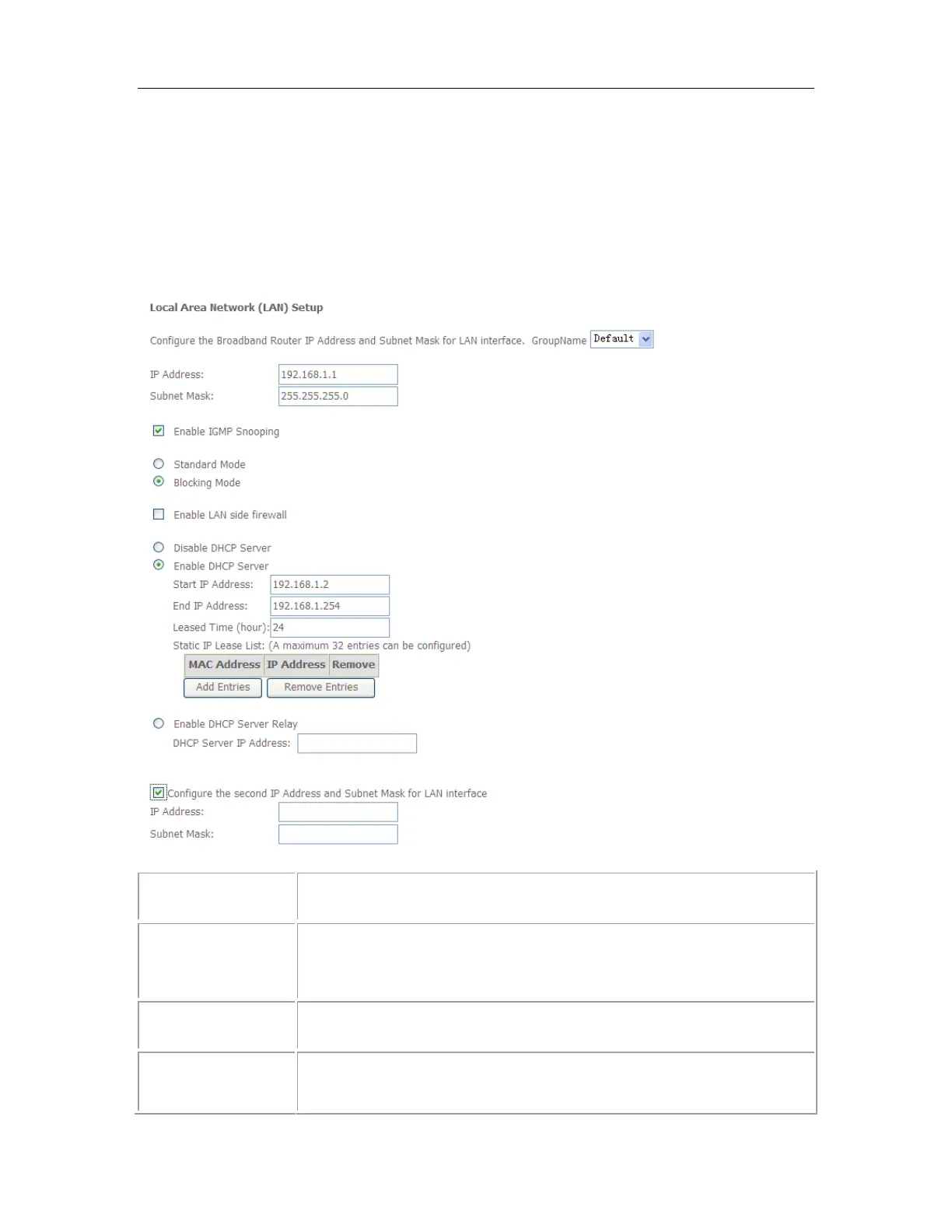
5.2.3 LAN Settings
From LAN, Configure the DSL Router’s IP Address and Subnet Mask for LAN
interface. In this page, you can use DHCP (Dynamic Host Configuration Protocol) to
control the assignment of IP addresses on your local network (LAN only). support
IPv4 /IPv6 dual stack.
5.2.3.1 IPv4 LAN Settings
This is the IP address that other devices on your local network will
use to connect to the modem.
This defines the size of your network. The default is 255.255.255.0.
The DHCP server assigns an IP addresses from a pre-set pool of
addresses upon request from DHCP client (e.g. your computer). Do



 To Next Page