1001, Building 5 HuaDing, No.1 HuaKe 3 Road, 4 TEL: 86 22 2634 5859
Binhai hi-tech Industrial Development Zone, Tianjin, China FAX: 86 22 8371 9955
Email: apt@ap develop.com
7.1 Power On/Off
Press and hold Power button for 1 second can turn on/off the display. The Display can
automatically shut down when there is no operate & ride for X minutes(X could be
0~9).
*If the display has been set password power on, you need to input the right password before start.
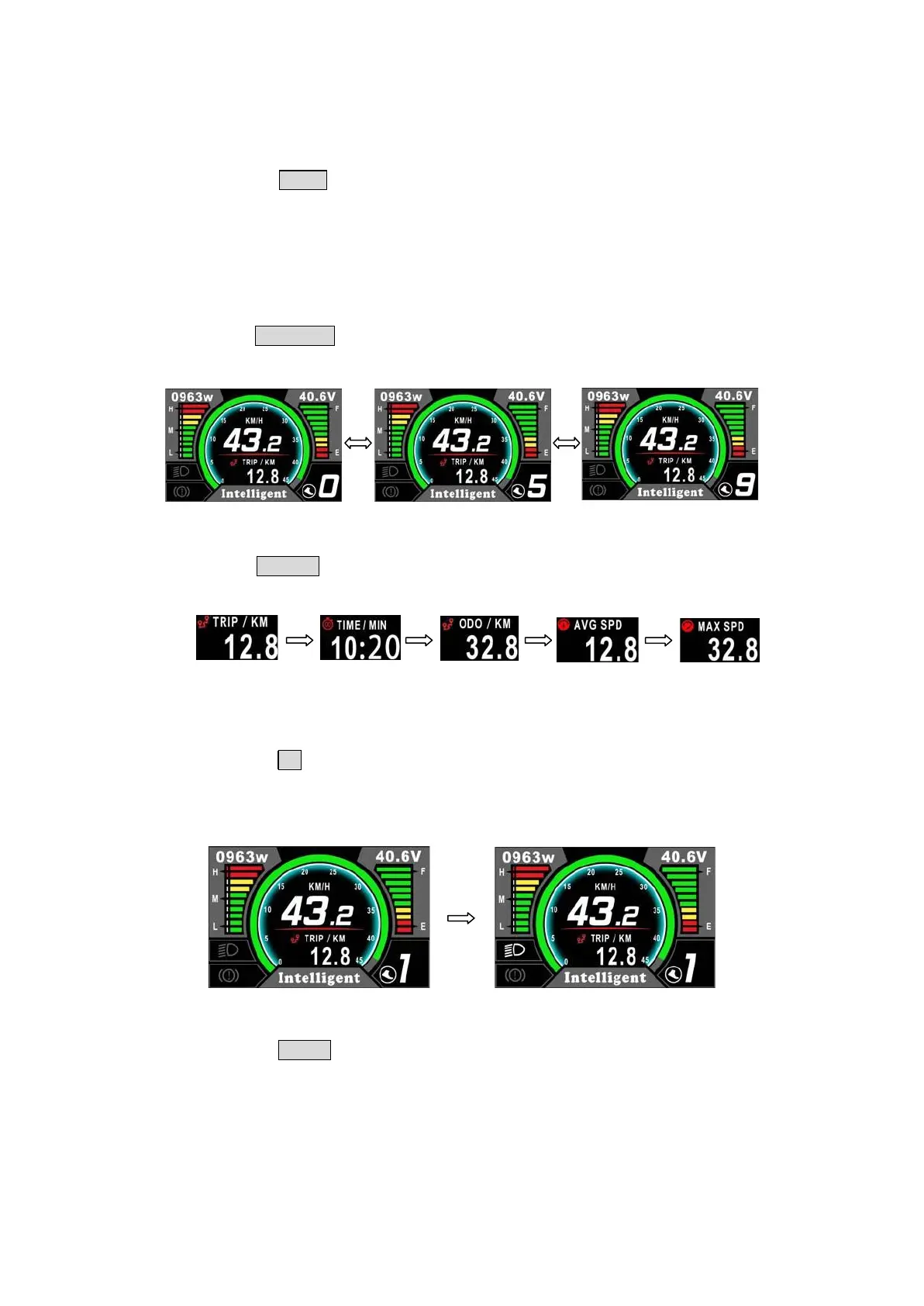
7.2 Assist level operating
Short press UP/DOWN button can change the assist level. Top assist level is 9, 0 for
neutral. Level quantities can be adjusted according to the customer requirements.
7.3 Speed & Mileage mode switch
Short press POWER button can change the speed and mileage mode, TRIP→TIME
→ODO→AVG SPEED→MAX SPEED.
**If there is no operation for 5 seconds, display will return Speed (Real-Time) display automatically.
7.4 Headlight/backlight On/Off
Press and hold UP button for 1 second can turn on/off the headlight.
*The motor does not work when the battery voltage is low, Display still can keep the headlight on for a
while when E-bike is in riding.
7.5 Walking mode (6km)
Press and hold DOWN button for 2 second can get into walking mode, out of the mode
when release the button.


 To Next Page