1001, Building 5 HuaDing, No.1 HuaKe 3 Road
,
5 TEL: 86 22 2634 5859
Binhai hi-tech Industrial Development Zone, Tianjin, China FAX: 86 22 8371 9955
Email: apt@ap develop.com
* This feature needs to be supported by controller.
7.6 Data cleanup
Press and hold UP & DOWN buttons together for 1 second can reset several
temporary data, temporary data include AVG Speed / MAX Speed / Trip / Time.
* These temporary data can’t be erased by power off.
8. Parameter setting
Press M button (press no less than 2second) can get into setting menus, press UP/DOWN
buttons to change the parameter setting, press M button can switch to next item. Press M
(press no less than 2second) button will exit from menu.
* Display will automatically quit menu when there is no operation for 30 seconds.
* For safety reasons, display can’t get into MENU when riding.
* Display will quit MENU when start riding.
The order of parameters are as follow.
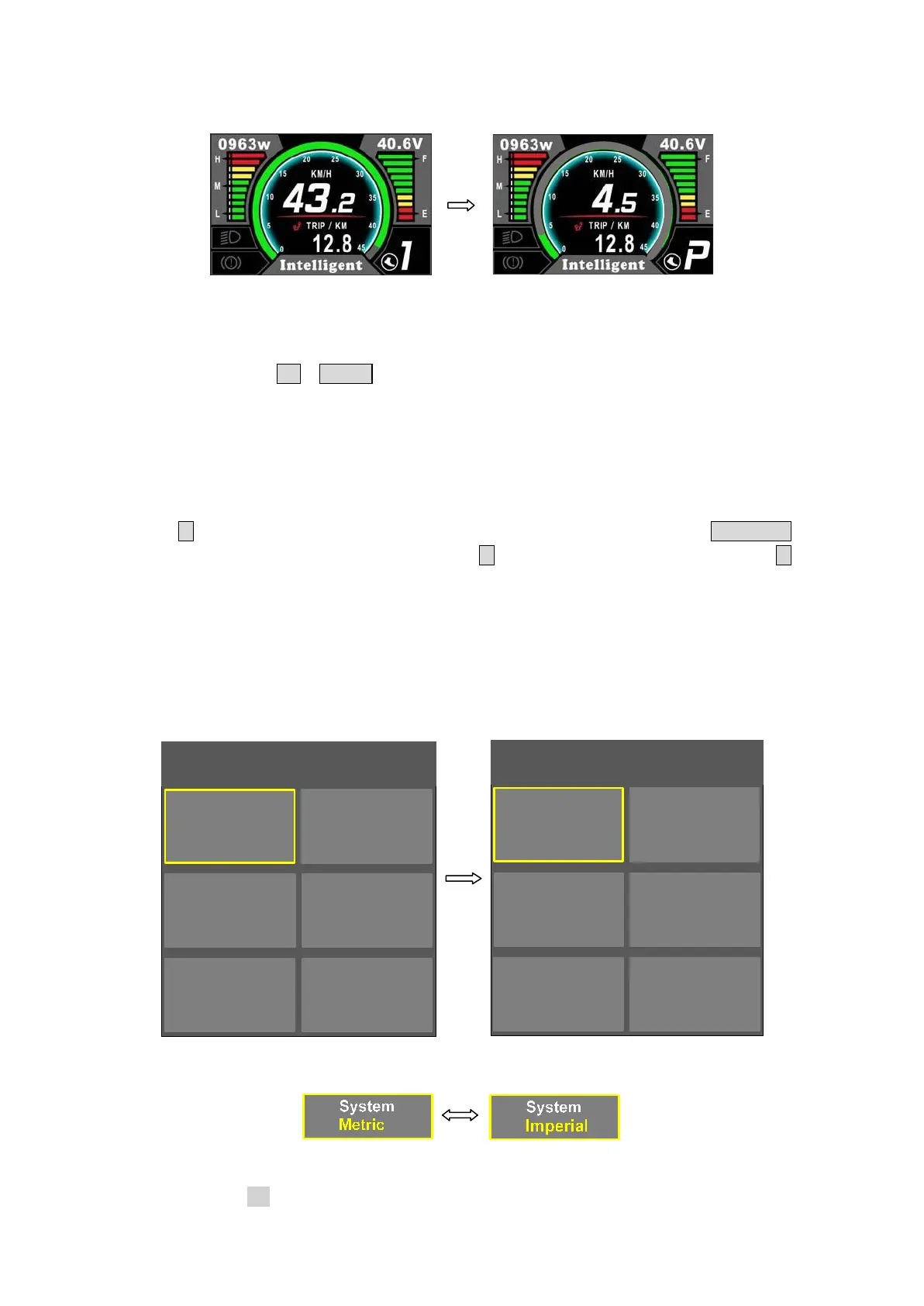
MENU
System Brightness
Advanced
Setting
Wheel Speed
Limit
Metric
|||||
27.5 inch
25 km/h
Auto off Battery
Speed Poles Start Poles
5 min
36 V
1
3
Battery Ind More
Assist
EXIT
Voltage
>
5
8.1 System : Press Up / Down button to switch between Metric / Imperial.
8.2 Brightness : Press Up / Down button to change the brightness of the backlight, ׀ is
darkness,׀׀׀׀׀ is brightness


 To Next Page