Need help?
Do you have a question about the KAT VR KAT Walk Coord 2 and is the answer not in the manual?
Manual overview, disclaimers, and legal notices.
Essential safety, operational, and health warnings for user protection.
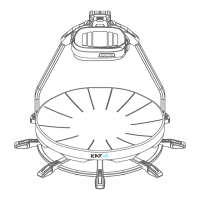
Details on the KAT Walk Coord 2, its shoes, sensors, and appearance.
Key parameters, dimensions, and performance specifications of the device.
Safety guidelines, tool requirements, placement, unpacking, and assembly.
List of all included components and tools for verification.
Overview of the KAT Gateway software and its purpose.
Steps to download, install, and open the KAT Gateway software.
Procedures for connecting, detecting, and pairing the KAT Walk Coord 2 with the PC.
Customizing controller options, game configurations, and haptic feedback.
Accessing user status, help forums, community interaction, and system settings.
Managing sensor status, performing calibration, and firmware updates.
Sensor installation, friction adjustment, platform entry, and strapping in.
Guidance on walking, micro-operations, and cruise mode usage.
Steps for safely disassembling the device for relocation or storage.
Guidelines for cleaning, maintaining, and troubleshooting device components.
Company contact details, address, email, and website for support.
 General
| Product Name | KAT Walk C 2 |
|---|---|
| Power Supply | AC 100-240V, 50/60Hz |
| Compatibility | PC VR |
| Weight Capacity | 130 kg |
| Material | Plastic |
| Connectivity | USB |


 To Next Page