Need help?
Do you have a question about the Katanax K2 Prime and is the answer not in the manual?
Lists essential accessories and optional items included with the fluxer.
Details vent hood requirements, clearance, and table specifications for proper placement.
Specifies power requirements, voltage, and GFCI protection for connecting the instrument.
Describes fusion as a sample prep technique for XRF, ICP, and AA analysis.
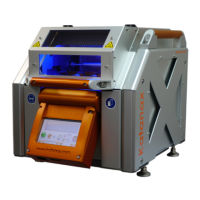
Introduces the K2 Prime as an evolution of the original K2, highlighting its sturdiness and ease of use.
Highlights entirely automated, reproducible, and real-time temperature display features.
Details integrated safety shield and absence of hazardous gas emissions.
Mentions intuitive interface, easy installation, and low maintenance.
Warns about temperatures up to 1200°C and handling hot surfaces.
Advises caution with 240 Volts AC and interlocked safety devices.
Advises against glass beakers due to acid spills and recommends PTFE beakers.
Explains the heating element alloy and temperature control via thermocouple.
Describes melt homogenization via rocking and controlled pouring into molds.
Describes how the optional module uses magnetic coils to agitate solutions in beakers.
Explains the function of the safety shield and its automatic/manual operation.
Details the graphical display, including temperature graph, status icons, and buttons.
Guides the user on how to select and start a fusion program using arrows and the start button.
Discusses the use of lithium metaborate and tetraborate mixes and their ratios.
Provides a method to find the optimal ratio for homogeneous fusion disks.
Explains the importance of sample oxidation and the use of reagents like Li2CO3 or LiNO3.
Explains the process of entering a password to enable parameter editing.
Covers copying, renaming, deleting, and saving custom fusion methods.
Details the structure of heating steps and adjustable parameters like temperature and duration.
Explains how to maintain furnace temperature between fusions for quicker start-up.
Defines permissible temperature ranges for crucible entry into the furnace.
Instructs how to enter the Special parameters window using a padlock icon and code.
Details enabling and adjusting automatic correction for holder twisting.
Covers adjusting various mechanical motions and sensor sensitivities.
Lists causes for glass disk cracking, such as improper cooling or mold sticking.
Explains crystallization causes like inappropriate flux or improper cooling.
Addresses issues like undissolved particles, oversaturation, or improper grinding.
Provides a table detailing frequency, checkpoints, actions, and page references for inspections.
Details procedures for verifying and adjusting holder alignment, movement, and screw tightness.
Outlines inspection of ceramic connectors and terminals for oxidation.
Provides step-by-step instructions for removing the crucible holder, including its middle section.
Guides on removing the mold holder, including its middle section and cantilever supports.
Explains how to check and adjust holder positions for proper alignment and pouring.
Details disconnecting power, removing panels, and detaching heating elements.
Outlines the process for installing or replacing protective clear tubes for heating elements.
Lists factory-programmed methods and their applicable sample types and descriptions.
Explains how to back up and restore firmware and fusion programs using a USB drive.
Lists voltage, frequency, power ratings, and breaker requirements.
 General
| Brand | Katanax |
|---|---|
| Model | K2 Prime |
| Category | Industrial Equipment |
| Language | English |


 To Next Page