
 Need help?
Do you have a question about the Katanax X-FLUXER and is the answer not in the manual?
Lists all accessories and components included with the X-300 fluxer.
Specifies the environmental and space requirements for installing the fluxer.
Procedures to ensure the instrument is level for accurate fusion results.
Details on power and electrical requirements for connecting the fluxer.
Explains the principles and applications of sample fusion techniques.
Discusses the benefits and adoption of automated fusion machines.
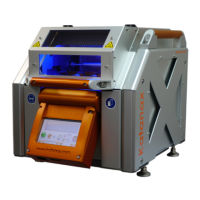
Overview of the Katanax X-300, its capabilities, and variants.
Highlights the key accuracy, safety, versatility, productivity, durability, and simplicity features.
Important warnings regarding temperatures, voltage, acid, and handling.
Explains heating elements, configurations, and furnace access.
Describes agitation, pouring, and cooling processes.
How to operate and lock/unlock the safety shield for user protection.
Explanation of the display interface, buttons, and status indicators.
Steps for selecting and starting a fusion program.
Guidelines for preparing samples and selecting flux for optimal results.
How to access and view the parameters of a current fusion program.
Procedure to access advanced settings and unlock parameter editing.
Copying, renaming, saving, and deleting custom fusion programs.
Adjusting temperature and duration for heating steps in a program.
Changing the instrument's display language and other interface options.
Adjusting holding temperature offset and startup tolerance for flexibility.
Configuring end beep, auto shut-off, safety shield, and fusion counter.
How to enter advanced settings and adjust mechanical offsets.
Setting endless loops and testing individual component movements.
Troubleshooting disk cracks, crystallization, and incompleteness.
Solutions for non-homogenous disks and bubbles in fused samples.
Schedule for checks, flux spillage, and holder alignment.
Checks for filters, chimney, terminals, furnace, thermocouple, and motion system.
Instructions for removing and installing the crucible holder assembly.
Procedures for removing, configuring, and aligning mold holders.
Steps for replacing heating elements and removing instrument panels.
Details on voltage, frequency, power, and breaker requirements.
Specifications for the instrument's size, weight, and dimensions.
Lists factory-programmed fusion methods and their applications.
Instructions for backing up and restoring firmware and programs via USB.
Activating the feature, installing software, and initial configuration.
Entering sample IDs, copying logs to USB, and accessing logs via FTP.
A list of error and warning codes with their descriptions for troubleshooting.
Steps to connect the fluxer to a local area network via Ethernet.
How to access and control the fluxer's touchscreen remotely using VNC viewer.
Granting Katanax technicians remote access for diagnosis and support.
 General
| Brand | Katanax |
|---|---|
| Model | X-FLUXER |
| Category | Industrial Equipment |
| Language | English |

 To Next Page
