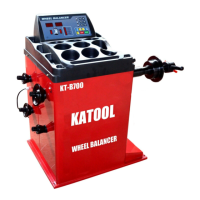
W H E E L B L A N C E R
- 17 -
4.6.2 Wheel not yet rotating (or static unbalance value less than 30g)
Press the < OPT > key, and the left screen displays "OPT".
Press < Start >, the wheel rotates for the first time. After the rotation is
completed, it will display [] [180]. The following can be operated by pressing
4.6.1 Balancing machine maintenance and repair
5.1 Automatic correction A value of drawing rule:
(1) When the ruler is back in position, press [STOP]+[FINE] to display CAL
100 on the digital tube. At this time, pull the ruler back to the position of 10CM.
② After pressing ALU key, display CAL-0 -
③ When pulling the ruler to the flange position of the balance shaft, press the
ALU key.
(4) If the digital tube shows Cal End, the correction is passed.
5.3 D value of drawing rule automatic correction:
② Press the [STOP]+[OPT] key combination at the ruler position (0 position)
(2) Press [D+], [D-] keys to adjust the diameter of the tire, such as 15 inches,
press [ALU] key to confirm, the window shows [POS][15.0]
③ Install the 15 "tire, pull out the ruler and put the ruler against the inner rim,
keep it still and press it at the same time
[ALU] key to confirm, digital tube display CAL END, indicating that the
correction has passed.


 To Next Page