W H E E L B L A N C E R
- 4 -
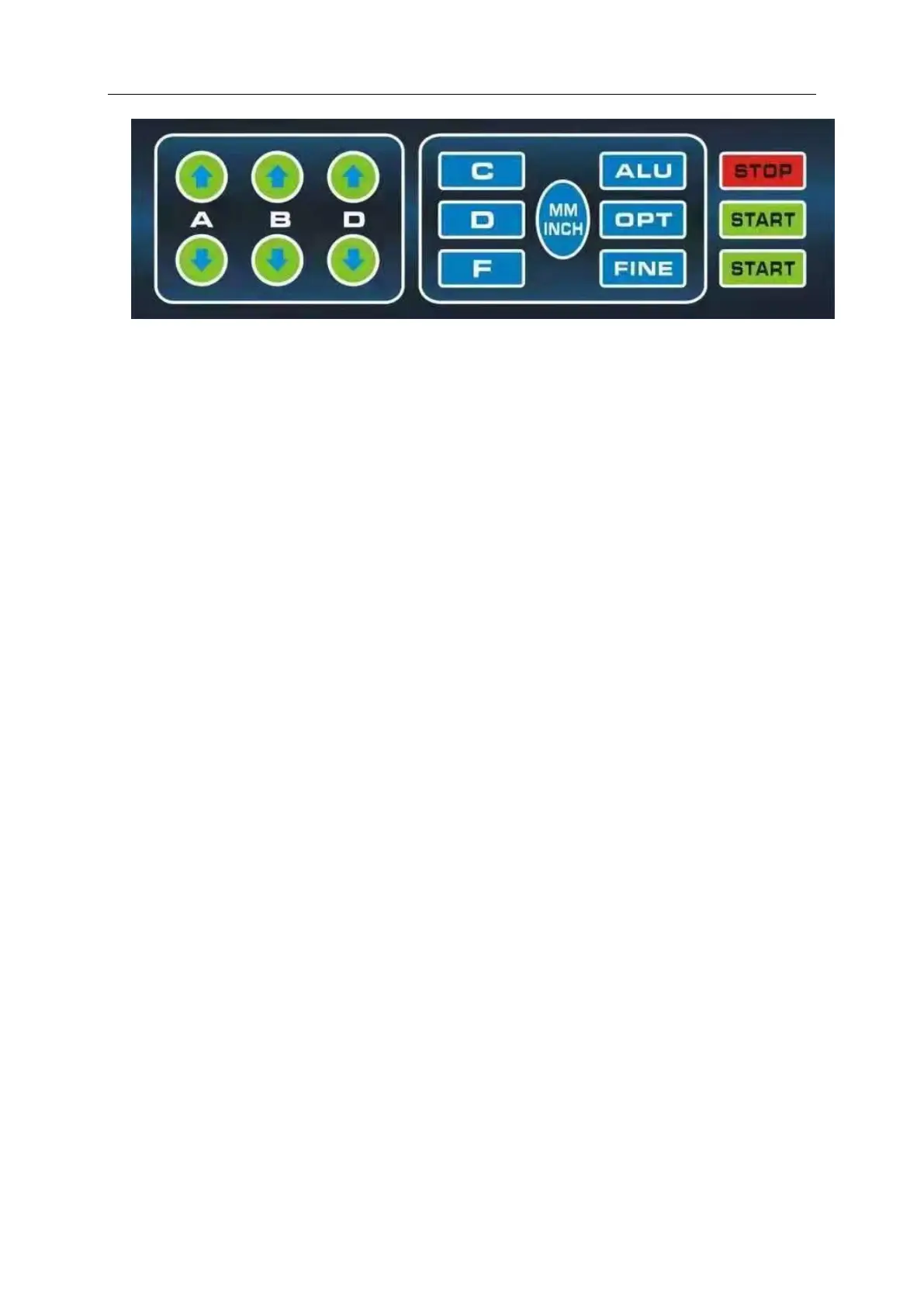
1. A Manually enter the reference distance size button A, press the
arrow to go up, increase the input size, press the arrow to go down,
reduce the input size.
2. B Manual input size B, press the arrow to go up, the input size
increases, press the arrow to go down, the input size decreases
3, D Manually enter size D, press the arrow to go up, the input size
increases, press the arrow to go down, the input size decreases
4, C correction key/reset key
5, ALU aluminum ring measurement and dynamic balance measurement
selection key
6, D test key, used for balancing machine computer board test
7 OPT balancing machine optimization function operation key, used
for tire rim optimization combination
8. F static and static balance function switch key


 To Next Page