EasyManua.ls Logo

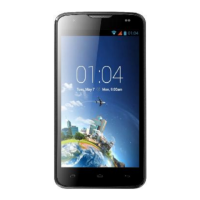
KaZAM Life C4 - User Manual

KaZAM Life C4
12 pages
Print Icon
To Next Page IconTo Next Page
Loading...
0
KAZAM Life C4
User Manual
1
©2013 Kazam Mobile Ltd. All rights are reserved. Kazam, the Kazam logo and the Kazam icon
are trademarks of Kazam Mobile Ltd. No part of this document can be reproduced without
permission. All trademarks and brand names mentioned in this publication are property of
their respective owners.
While all the efforts have been made to ensure the accuracy of contents in this manual, we
presume no responsibility for errors or omissions or statements of any kind, whether such errors
are omissions or statements resulting from negligence, accidents, or any other cause. We
operate a policy of continuous development and reserve the right to make changes,
modifications and improvements to the device, device features/specifications or any of its
parts without prior notice.
Your device may have preinstalled bookmarks and links for third party internet sites and may
allow you to access third party sites. These are not affiliated with us, and we do not endorse
or assume liability for them. If you access such sites take precautions for security or content.
The limited warranty does not cover user manuals or any third party software, settings,
content, data or links, whether included in, or downloaded to the product, whether included
during installation, assembly, shipping or any other time in the delivery chain, or otherwise
and in any way acquired by you. To the extent permitted by applicable law(s), we do not
warrant that any of our software will meet your requirements, will work in combination with
any hardware or software applications provided by a third party, that the operations of the
software will be uninterrupted or error free or that any defects in the software are correctable
or will be corrected.
User Manual is provided to guide the user about the functionality of the device. It
does not constitute any certificate of technology. Some functions may vary due to
modifications and upgrades of software, or due to printing mistake.
ALL RIGHTS RESERVED
Question and Answer IconNeed help?

Do you have a question about the KaZAM Life C4 and is the answer not in the manual?

Summary

Safety Precautions

General Safety Guidelines

Important safety instructions for device usage, including driving, magnetic media, children, medical devices, and volume levels.

Understanding Your Device

Getting Started

Installing SIM Cards & Battery

Step-by-step guide for inserting SIM cards, battery, and memory cards into the device.

Powering On;Off

Instructions on how to turn the KAZAM Life C4 device on and off using the power key.

Basic Operations

Making and Receiving Calls

Procedures for initiating, answering, rejecting, and managing calls on the device.

Messaging (SMS;MMS)

Guide on creating and sending SMS and MMS messages, including inbox management.

Phonebook Management

How to add, view, edit, delete, and manage contacts in the phonebook.

Settings

Phone Settings

Configuration options for time, date, language, display, screen lock, and flight mode.

SOS Settings

Setting up and managing the emergency SOS feature with predefined numbers and messages.

Security Settings

SIM and Phone Security

Setting and managing PIN codes, PUK codes, and phone passcodes for device protection.

Multimedia

Specifications

KaZAM Life C4 Specifications

General IconGeneral
Display Size4.0 inches
Resolution480 x 800 pixels
RAM512 MB
Internal Storage4 GB
Expandable StoragemicroSD, up to 32 GB
Rear Camera5 MP
Front Camera0.3 MP
Battery1400 mAh
SIMDual SIM

Related product manuals