9
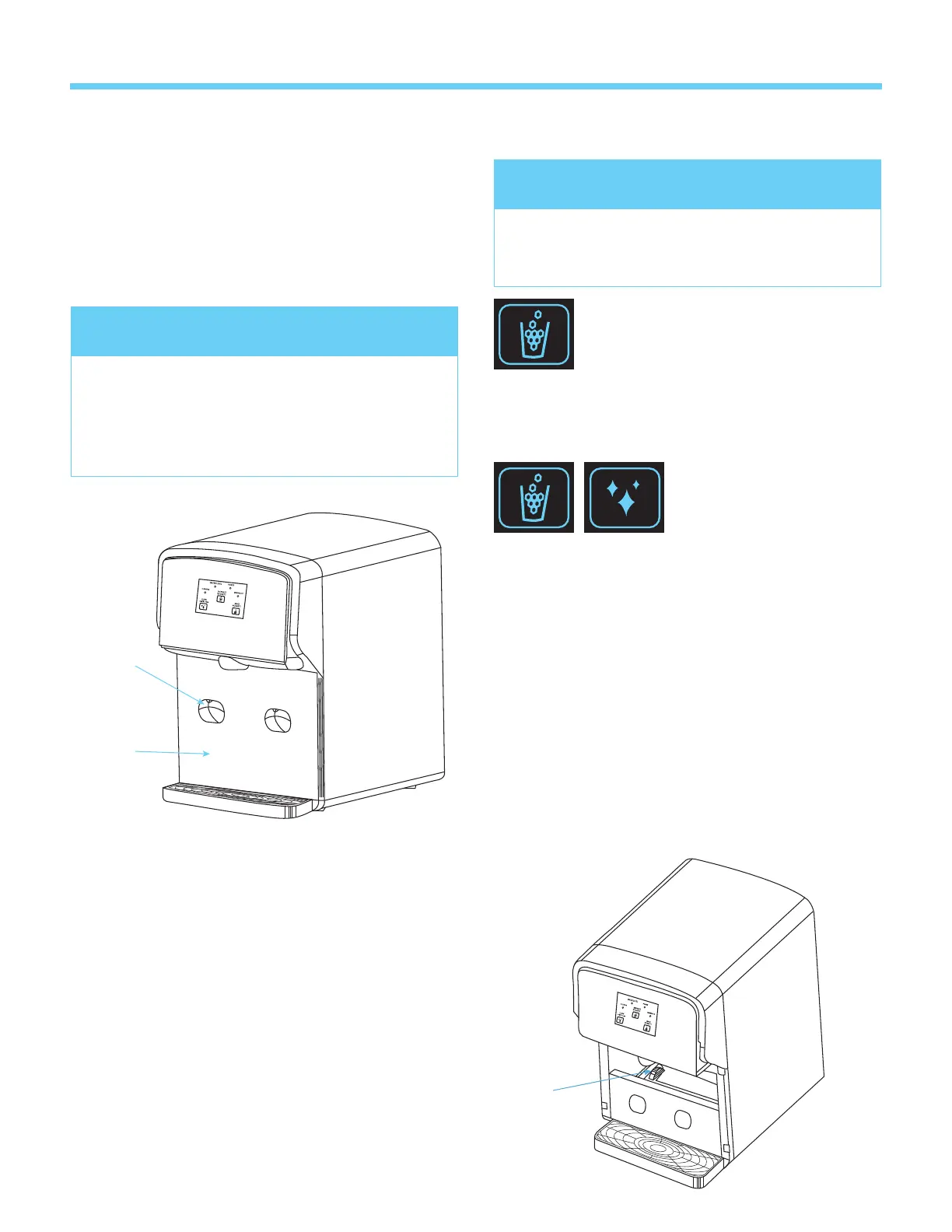
Water
Port
Reservoir
Cover
Pump
Protector
Dispense Nuggets button
The unit will stop dispensing
automatically after 60 seconds elapse.
• Place a cup under the ice dispense point.
• Press and hold to dispense ice, release to stop.
Combination Buttons
can be used when the
unit can’t dispense ice
because ice is jammed.
• While you hold Dispense Nuggets button,
press and hold Clean button to turn the ice
auger backwards.
Cleaning the pump protector
• Drain water following instructions in Section 2.
• Remove the water reservoir door and lift up the
pump protector.
• Clean the pump protector with dishwashing
liquid and rinse it with potable water.
• Replace the pump protector
Dispensing Ice
NOTE
Do not add water until Water Level red
LED ashes.
Do not overll the reservoir otherwise it may
overow when ice melts completely.
NOTE
The unit does not dispense ice while Cleaning
LED ashes.
3. Making ice for the rst time use
• Add water to the MAX WATER FILL.
• Plug the unit into power.
• Press Make Nuggets button once and wait
for the Making Ice LED to ash slowly which
indicates that ice is beginning to be made
• Push the water port door to open.
• Add water until the Water Level green LED
illuminates with 5 beeps.
• Release the water port door to close.
Or
• Add potable water between MAX WATER FILL
and MIN WATER FILL.
WATER LEVEL
CLEAN
POWER
DISPENSE
NUGGETS
MAKE
NUGGETS
CLEANING
Hold for 3 sec
MAKING ICE
WATER LEVEL
CLEAN
POWER
DISPENSE
NUGGETS
MAKE
NUGGETS
CLEANING
Hold for 3 sec
MAKING ICE
WATER LEVEL
CLEAN
POWER
DISPENSE
NUGGETS
MAKE
NUGGETS
CLEANING
Hold for 3 sec
MAKING ICE


 To Next Page