
 Need help?
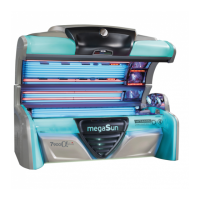
Do you have a question about the KBL megaSun 6900 Alpha and is the answer not in the manual?
Control of decorative lighting on the tanning device.
Initiating a single spray cycle of the aquaCool system.
Procedure to access the service menu via the control panel.
Explanation of standard operating elements for service menu navigation.
Adjusting settings by changing numerical values using control buttons.
Choosing options from a list via control panel buttons.
Switching specific tanning device functions on or off.
Procedure for accessing service menu using the first level code.
Using the second level code for protected menu items.
Setting the maximum tanning duration for all timers.
Displaying and resetting the device's total operating hours.
Displaying and resetting operating hours for UV tubes.
Displaying and resetting operating hours for facial tanners.
Indicating tanning sessions and providing a reset function.
Setting the preSelection for the air-conditioning system.
Defining the preSelection for the Aroma function.
Specifying the preSelection for the aquaCool function.
Determining the preSelection for the audio source.
Specifying the preSelection for the voice-guidance system.
Setting the language for the megaVoice system.
Selecting pulse-code/BCD-code for studio music.
Specifying the number of available studio channels.
Activating/deactivating USB interface for MP3 playback.
Activating/deactivating line-in connection for audio devices.
Enabling continuous music playback, even outside tanning sessions.
Choosing the permanent audio source for nonstop music.
Setting default audio volume for tanning mode.
Setting default audio volume for standby mode.
Presetting maximum adjustable sound level for operation/standby.
Adapting the volume level for the megaVoice system.
Enabling or disabling dynamic volume adaptation.
Setting treble for MP3 - USB operation.
Setting high-bass for MP3 - USB operation.
Setting low-bass for MP3 - USB operation.
Adapting volume level for the studio line-in signal.
Setting treble for studio music operation.
Setting high-bass for studio music operation.
Setting low-bass for studio music operation.
Activating/deactivating the aquaCool cooling function.
Determining aquaCool spraying time duration.
Defining cycle time for aquaCool and aroma functions.
Initiating aquaCool test cycles for system verification.
Starting aquaCool endurance test for system validation.
Starting aquaCool initialization process for system bleeding.
Activating/deactivating the aroma scent function.
Resetting aroma status after aroma tin replacement.
Defining cycle time for aroma spraying and intervals.
Setting aroma scent release via door contact or deactivation.
Configuring scent releases per hour for interval operation.
Entering Aroma Timer switching times for daily schedules.
Starting the Aroma test cycle for system verification.
Switching the air-conditioning unit on/off.
Specifying body fan start speed at tanning commencement.
Note on RGB mode adjustment via colorMotion controller for LED systems.
Preselecting tanning time with automatic power adaptation.
Setting EasyCare mode, including US-specific requirements.
Entering tanning time via EasyCare unit for automatic power adaptation.
Settings for trained service personnel only.
Executing quick value tests for service personnel.
Adjusting minimum melanin value for service personnel.
Configuring minimum melanin runtime for service personnel.
Setting minimum melanin runtime for service personnel.
Displaying melanin measurement values for service diagnosis.
Adjusting easyCare voice-guidance system volume.
Accessing service codes for trained service personnel.
Restoring device to original factory settings.
Assigning studio environment numbers to Bluetooth device name.
Setting transmission power for Bluetooth.
Displaying current firmware type or variant.
Showing current firmware version of system components.
Displaying first and last software upload.
30-min service mode; mains voltage connected, errors ignored.
10-min service mode; tanning enabled, with restart lockout.
Showing configuration, variant code, and serial number.
Accessing further configuration options.
Performing a restart of the tanning device electronics.
Listing latest 99 events with error codes and info messages.
Instructions for removing/replacing tubes on cover and side.
Information on P2 tube maintenance intervals and handling.
LED lighting modules description and replacement procedures.
Collagen booster replacement by qualified personnel.
Cleaning and removing filter inserts in the canopy.
Cleaning and removing filter inserts in the bench.
Servicing canopy drive, including rope checks and lubrication.
Checking hose connections and air hoses for kinks/defects.
Verifying condensate pump function and tray filling level.
Locating SD card slot for MP3 data storage.
Instructions for inserting, copying, or deleting audio files on SD card.
Replacing aroma tin when empty, including reset procedure.
Replacing aquaCool canister, keeping hose clean.
List of error messages, descriptions, and remedies.
List of information messages, descriptions, and remedies.
Entering/repeating new service code for Level 1 access.
Entering/repeating new service code for Level 2 access.
Restoring device to original factory settings.
 General
| Brand | KBL |
|---|---|
| Model | megaSun 6900 Alpha |
| Category | Tanning Beds |
| Language | English |





 To Next Page