
 Need help?
Do you have a question about the KBL megaSun K9S and is the answer not in the manual?
Explains who the instructions are intended for and the importance of reading them.
Explains various warning symbols used in the manual to indicate potential hazards.
Defines signal words like DANGER, WARNING, CAUTION to indicate severity of hazards.
Warns about crushing hazards from heavy parts during transport and provides safety measures.
Details specific instructions for safe transport using a forklift, emphasizing fork length and pallet handling.
Outlines alternative transport methods if a forklift is not feasible, requiring disassembly and manual lifting.
Warns against blocking airflow and making unauthorized modifications, stressing adherence to minimum distances.
Highlights risks of injury from device tipping or slipping in moving vehicles and details securing requirements.
Warns about potential damage from temperature differences and advises a 2-hour equalization period before operation.
Defines the proper use of the tanning device and lists contraindications for specific user groups to prevent harm.
Outlines prohibited actions such as allowing others in the radiation area or involving animals, defining misuse.
Covers essential rules for commercial use, installation, modifications, device condition, maintenance, and load limits.
Informs users where to find applicable standards and directives, referencing the CE declaration of conformity.
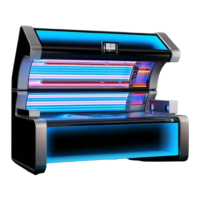
Lists the main assemblies of the tanning device, such as canopy, side, and bench, detailing their components.
Explains how to adjust the audio level using a rotary control on the level adjustment board for optimal sound.
Explains how to operate the internal MP3 player using original music tracks stored on the SD card.
Lists connectable external audio sources like studio music and Bluetooth players, and the requirement for a transformer for 100V signals.
Provides step-by-step instructions for establishing a Bluetooth connection, including pairing and confirmation.
Lists crucial steps before first use, including attaching warning signs and setting default parameters.
Describes the standby mode where the device is connected but inactive, ready to switch to other modes.
Explains the active tanning mode where tubes and radiators are on, allowing setting adjustments.
Details the service mode used for configuration, querying values, and performing test functions.
Describes the fan's operation after tanning for cooling, with power reduction as tubes cool down.
Offers important notes for users regarding tanning, including intended use, MED, skin reactions, and general precautions.
Covers essential user guidelines, emphasizing intended use, MED adherence, skin reactions, and risks of UV radiation.
Lists crucial steps to follow before, during, and after each tanning session for safety and effectiveness.
Provides detailed tanning times for different skin types across multiple sessions for UV type III devices.
Lists the maximum annual tanning minutes for various device models based on NMSC weighted values.
Provides detailed tanning times for different skin types across multiple sessions for UV type II devices.
Lists the maximum annual tanning minutes for various device models based on NMSC weighted values.
Warns about severe skin and eye damage from uncontrolled tanning duration and defective timers.
Guides users on making pre-selections for tanning properties on the external control panel before starting.
Explains how to preselect the tanning level (Sensitive, Medium, Intense) for desired tanning results.
Describes how to select the music source from Studio, MP3, or Bluetooth options.
Details the on/off functionality for voice guidance (megaVoice).
Explains the on/off control for air conditioning.
Describes the selection of ventilation levels (1, 2, 3, or off).
Details the on/off control for aroma scenting.
Explains the selection of intensity levels (1, 2, 3, or off) for the Aqua Cool spray.
Explains the meaning of different symbol statuses on the control panel, indicating active, unavailable, or deactivated options.
Details how the tanning level is achieved by influencing UV output, with options for Sensitive, Medium, and Intense.
Guides on choosing music sources and changing them during tanning via the internal control panel.
Details quick access to basic functions like volume, body fan, and facial tanners during tanning.
Lists available music sources (Studio, MP3, Bluetooth) and how to switch between them.
Explains how to switch between audio tracks or browse studio channels.
Details how to adjust the audio volume level.
Explains how to turn voice guidance on or off.
Describes how to change the tanning level during the process.
Details how to operate the Beauty Booster function with its intensity levels.
Explains the operation of the Sunsphere facial tanner.
Explains how to regulate ventilation for the facial area.
Explains how to regulate ventilation for the body area.
Details the on/off operation of air conditioning and its safety lock mechanism.
Explains how to switch aroma scenting on or off.
Describes the Aqua Cool spray function, its levels, and automatic activation/deactivation.
Describes how to access the start window of the service menu from standby mode.
Refers to the "Maintenance & Service" documentation for information on service mode.
Explains how beautyBoosters act as decorative lighting in standby mode and can be activated for testing.
Refers to "Maintenance and Service" documentation for selecting lighting programmes and settings.
Lists available functions in standby mode, such as decorative lighting, Aqua Cool test, and music control.
Explains the demo mode for displaying the external control panel on the internal one for demonstration purposes.
Shows recent system messages (info and error) with timestamps.
Indicates remaining usage time for Aqua Cool and Aroma, and prompts for replacement when needed.
Displays operating hours for fluorescent tubes, facial, and shoulder tanners.
Provides status of the air filter cartridge and cleaning recommendations.
Describes the two playlists ("Start" and "End") for managing media files before and after tanning.
Warns about injury and damage resulting from improper or inadequate maintenance, stressing the use of approved parts.
Advises creating a documentation system for maintenance and service reports and ensuring adherence to intervals.
Provides critical safety instructions for disconnecting the device from power before maintenance to prevent electric shock.
Instructs on applying safety signs to prevent accidental switching on during maintenance.
Mentions a cleaning prompt on the control panel and its availability in the service menu.
Offers general tips for cleaning, such as removing jewelry and avoiding specific cleaning agents.
Explains symbols related to applying cleaning agents to the cloth rather than directly to the surface.
Specifies maintenance tasks that can be performed by operating personnel, detailed within these instructions.
Outlines maintenance tasks that must be performed exclusively by trained and authorised specialist personnel.
Lists component wear parts and their replacement intervals based on operating hours.
Covers periodic inspections, yearly service, and 10-year overhaul requirements for operational safety.
Lists the tools and number of personnel required for specific maintenance tasks.
Provides step-by-step instructions on how to unlock the tanning device bench for maintenance.
Provides instructions on how to open the bench pane.
Guides on how to fold down the canopy and lateral panes.
Provides a note about ensuring bolts are horizontal when closing the panes.
Details the steps for exchanging fluorescent tubes located on the ceiling or side.
States that replacement of LED light sources must be done by trained personnel.
Details the steps for exchanging fluorescent tubes located on the bench.
Shows the location and removal process for filter cartridges in the canopy section.
Shows the location and removal process for filter cartridges in the bench section.
Warns about health hazards like skin rash and allergic reactions due to bacteria formation from improper use.
Details when and how to replace the Aqua Cool tank, including system messages.
Shows an alternative method for replacing the Aqua Cool tank.
Provides a comprehensive table of error messages, their causes, and solutions.
Specifies operating environment requirements like dry rooms, ventilation, humidity, and temperature limits.
Provides the physical dimensions (closed and open) and weight of the tanning device.
Details electrical specifications, including protection class, mains voltage, cable cross-section, and circuit breaker.
Specifies fan requirements and air outlet duct hose dimensions.
Details the standard marking system for UV fluorescent lamps.
 General
| Model | megaSun K9S |
|---|---|
| Category | Tanning Beds |
| Lamps | 52 |
| Power | 11.5 kW |
| Size | Large |
| Weight | 610 kg |
| Facial Tanner | Yes |
| Shoulder Tanner | Yes |
| Air Conditioning | Yes |
| Audio System | Yes |
| Voltage | 400 V |
| Frequency | 50 Hz |



 To Next Page