
 Need help?
Do you have a question about the KBL megaSun space 3000 and is the answer not in the manual?
Manual's purpose and intended audience.
Visual indicators for hazards and warnings.
Terms indicating hazard severity (Danger, Warning, Caution).
Safe procedures for moving the tanning device.
Alternative methods for moving the device.
Environmentally friendly disposal of the tanning device.
Contact information for service-related questions.
Instructions for updating the device's software.
The purpose and proper application of the tanning device.
Unintended uses that can cause damage or injury.
Manufacturer liability and user responsibilities.
Essential safety instructions for operation.
How timers and tanning schedules function.
Compliance with relevant safety and EMC standards.
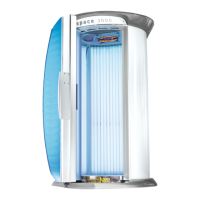
Identification of the tanning device parts.
Connecting devices via line-in.
Adjusting audio signal levels for studio music.
Using internal, external, or all audio sources.
Playing music from the device's MP3 player.
Wirelessly connecting external players via Bluetooth.
Information on compatibility and troubleshooting.
Configuring audio sources like Studio, MP3.
Initial steps before operating the tanning device.
Operating mode for tanning sessions.
Mode for device configuration and testing.
Idle state and fan operation after tanning.
General rules and precautions for users.
Tanning times based on skin type and session.
How to initiate a tanning session.
Operating functions during a tanning session.
Overview of controls like volume, fan, aquaCool, Aroma.
Controlling the LED lighting on/off.
Performing a test spray cycle for aquaCool.
Invoking, navigating, and understanding the service menu.
Buttons and navigation within the service menu.
Navigating main menu and function groups.
Modifying values, options, and switching functions.
Saving changes and exiting the menu.
Timeout behavior and audible signals.
Configuration for environmental and usage tracking.
Settings for preselection, audio, and aquaCool.
Configuration for Aroma, AC, RGB, UV, and service functions.
Bluetooth settings and system event logging.
Access and protection levels for service codes.
Adjusting menu language and display contrast.
Setting switching cycles for decorative lighting.
Understanding and setting on/off cycles for lighting.
Configuring the maximum tanning duration.
Displaying operating hours and tube usage.
Tracking sunbaths and configuring air conditioning.
Setting initial states for Aroma, AquaCool, and audio.
Setting voice language and studio line-in.
Configuring MP3 playback and nonstop music.
Selecting studio channel modes and count.
Setting default and maximum adjustable sound levels.
Adjusting MegaVoice, dynamic volume, and studio tone.
Adjusting treble and bass for studio music.
Activating, timing, and testing aquaCool.
Setting aroma timer cycles and resetting status.
Configuring cabinet scent release and frequency.
Entering specific switching times for the aroma timer.
Configuring air conditioning and fan speed.
Setting UV level and loading factory defaults.
Managing access via service code levels.
Setting the Bluetooth device name.
Adjusting Bluetooth power and viewing firmware.
Accessing software upload and operating service modes.
Displaying device characteristics like codes and serial number.
Accessing configurations and restarting the system.
Viewing system events, error codes, and info messages.
Introduction to the color control unit.
Operating lighting, brightness, and sleep mode.
Pairing the controller with the tanning device.
General precautions and approved cleaning agents.
Cleaning tubes, acrylics, plastics, and control panels.
Schedule for component cleaning and replacement.
Instructions for cleaning and handling acrylic panes.
List of tools and personnel needed for maintenance.
Procedures for cleaning and replacing tubes and starters.
Step-by-step guide to removing acrylic panes.
Procedures for replacing LED and fluorescent lighting.
Replacing lighting tubes, filters, and panes.
How to access and remove the SD card.
Adding or deleting audio files to the SD card.
Procedure for replacing the aquaCool canister.
Procedures for replacing aquaCool filter and nozzles.
Procedure for replacing the aroma tin.
List of error messages and their remedies.
List of information messages and their remedies.
Environmental and electrical specifications.
Details on fan and exhaust hose.
Technical specifications for the Space 3000 model.
Technical specifications for the Hurricane model.
Technical specifications for the Thunder Hybrid model.
Dimensional views of the Space 3000 model.
Dimensional views of Hurricane/Thunder models.
Standard for UV fluorescent lamp marking.
Explanation of UV lamp coding format.
 General
| Brand | KBL |
|---|---|
| Model | megaSun space 3000 |
| Category | Tanning Beds |
| Language | English |


 To Next Page
