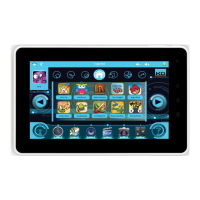
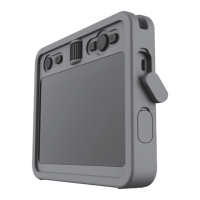
Need help?
Do you have a question about the KD interactive Kurio and is the answer not in the manual?
Instructions for correctly inserting the SIM card into the phone's designated slot.
Guide to properly placing the battery into its compartment, ensuring connector alignment.
Choose your preferred language from the list to start the device setup process.
Connect to a wireless network for necessary device setup and updates.
Set the correct time zone for accurate clock synchronization on the device.
Create or access your Kurio Genius account credentials for personalization.
Follow steps to create a new Kurio Genius account using parental email.
Enter the confirmation code sent to your email to verify your account.
Grant administrative rights to Kurio Genius for robust parental controls.
Create or select a child account linked to your parental Kurio account.
Enable GPS and Data access for full Kurio Genius system functionality.
Access Kurio Genius options and settings to configure the child's phone.
Understand how children and parents interact with active settings and usage limits.
Important guidelines for handling, storing, and using batteries safely.
 General
| Rear Camera Resolution | 2MP |
|---|---|
| Front Camera Resolution | 0.3MP |
| Internal Storage | 4GB |
| Resolution | 480 x 800 pixels |
| Expandable Storage | MicroSD up to 32GB |


 To Next Page