APP/APK setting
Please follow the steps to control your IR118B
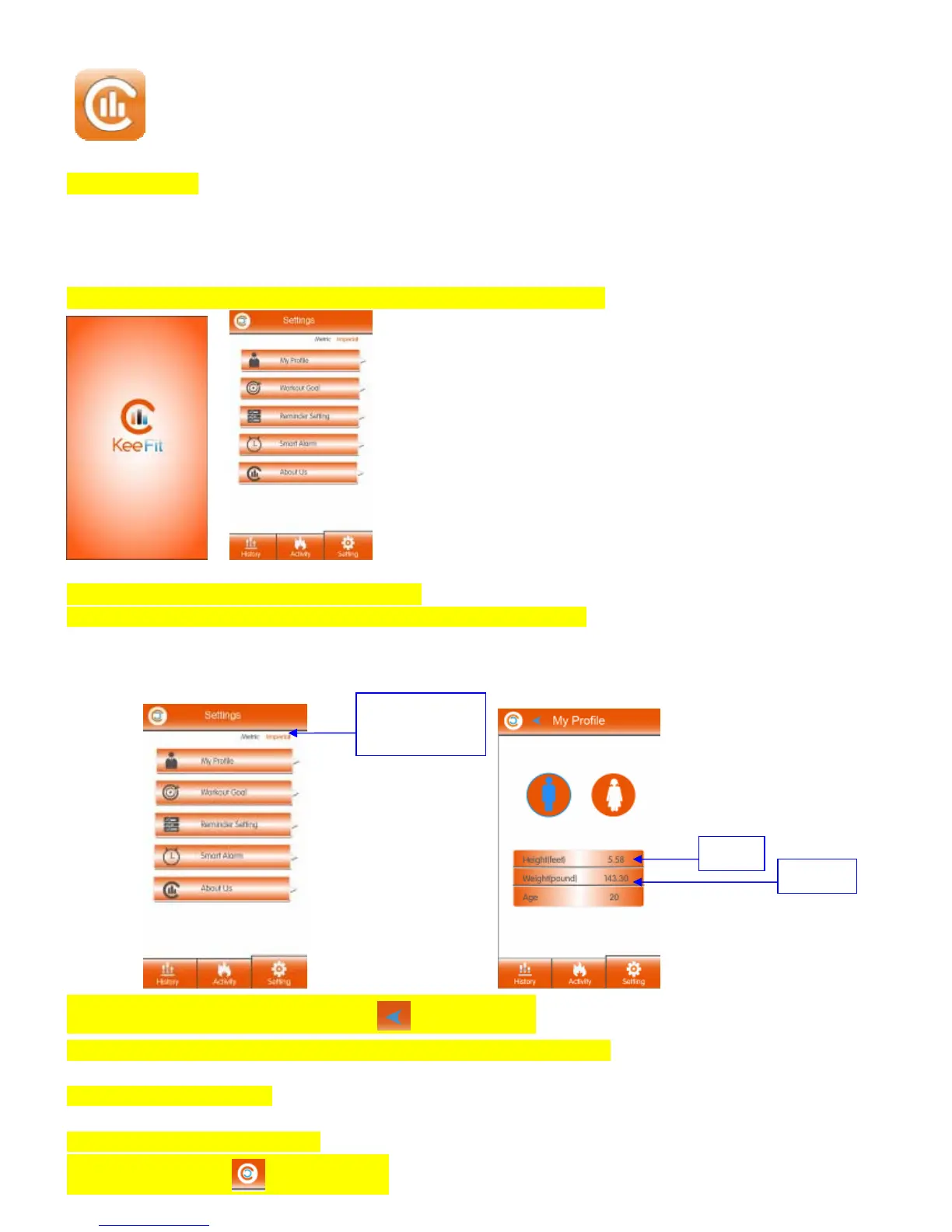
Step 1: Click the Keefit2 icon on your devices
Step 2:Enter the APP user interface, click “My profile” in the“Settings” manuel.
Step 3:Select your gender, height, weight and age.
Remark: Select Metric or Imperial to change the “CM to Feet” and “Kg to ibs”.
When complete the “My Profile”, please click to “Setting” page.
Remark: Your personal data has been Selected and Saved in the APP and APK.
Step 4: Data Synchronization
Make sure to switch On your IR118B.
Press the Sync button in the APP/APK.
Metric or Imperial
button
Heigh
Weight



 To Next Page