EN
4. DPI Selection and Backlight Color (DPI
Setting)
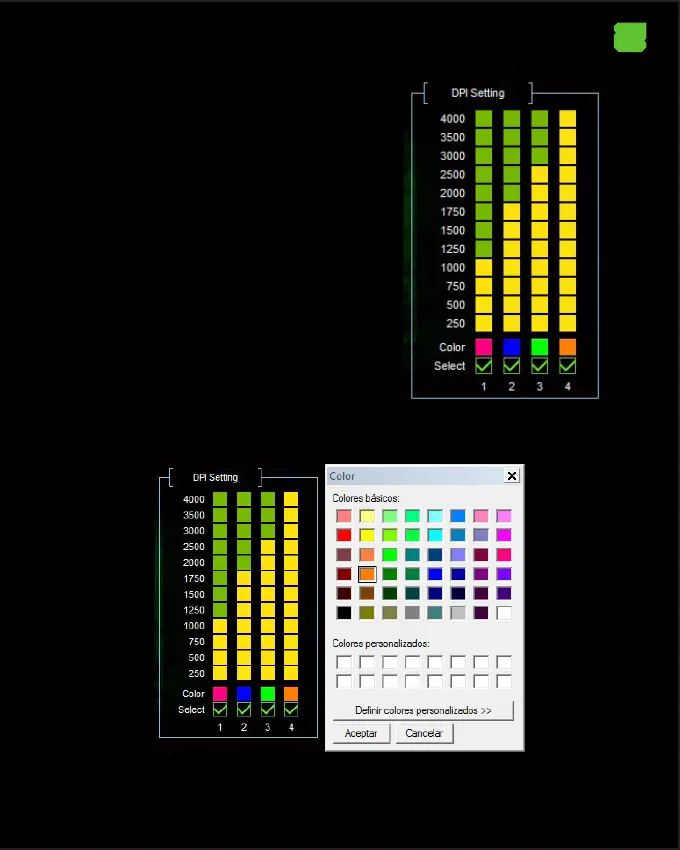
This mouse allows you to select 4 dierent DPI
levels. Select the desired DPI according to the
number of the DPI button click.
The DPI level can be associated with a Base and
Logo Backlight color by clicking on the desired
color and selecting it and clicking OK.
Finally click on the APPLY button and then on OK.


 To Next Page