EN
4. “ADVANCED CONTROL” MENU
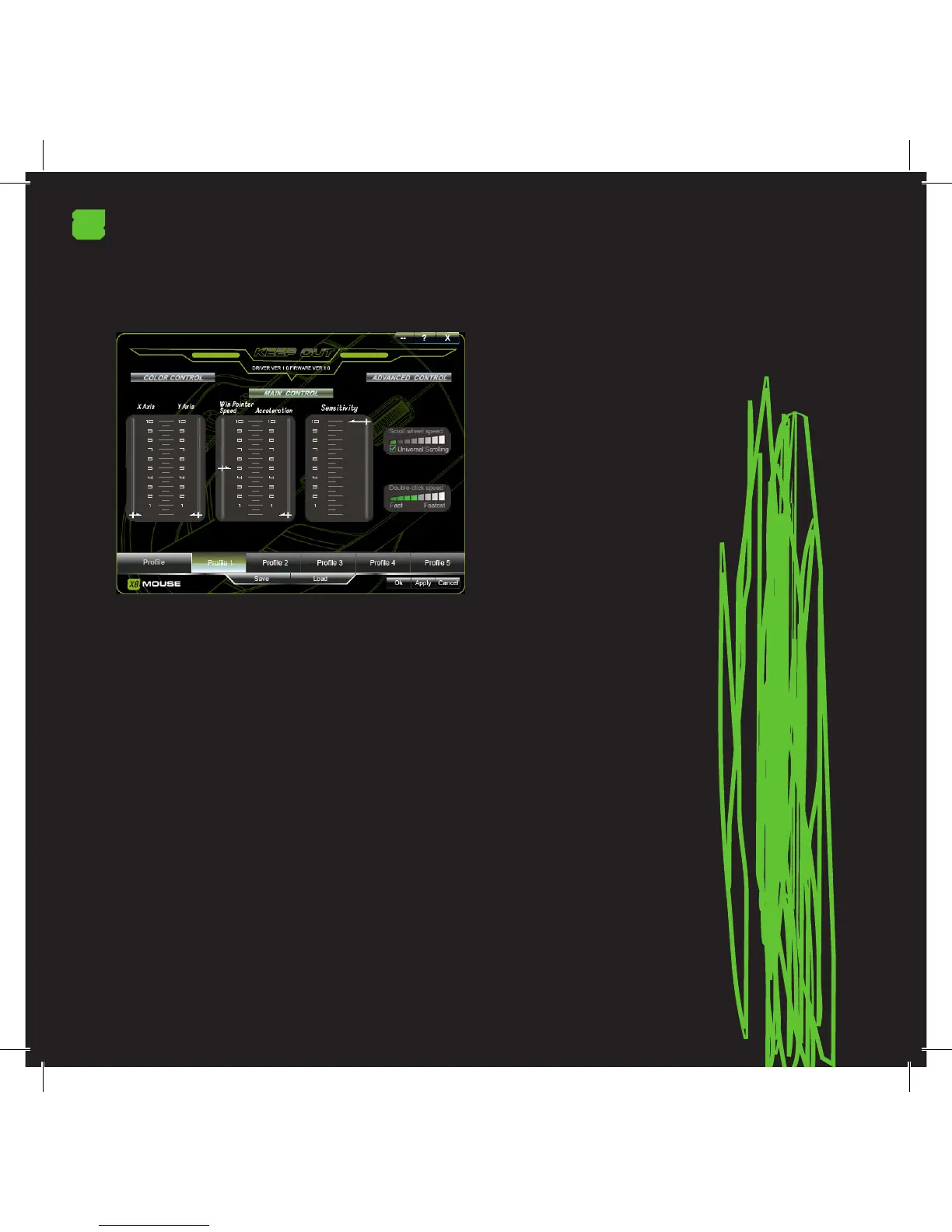
Click on “Advanced Control” to access these options.
AXIS SETTINGS “X” and “Y”
To modify the sensitivity of axes “X” and “Y” scroll the bar
each of these to your liking.
ACCELERATION SETTING
First, enable the acceleration and then set the acceleration
to the speed you want.
SENSITIVITY ADJUSTMENT
Slide the bar to get the sensitivity that suits you according
to the function or game you are playing.
Always click “APPLY” to complete your prole settings and
you to customize your Gaming Mouse.
TECHNICAL SUPPORT
For more information on installing and conguring this
product please visit our website www.keep-out.eu or write
an email to the following address: support@keep-out.eu.


 To Next Page