
 Need help?
Do you have a question about the Keep Track GPS EV07 and is the answer not in the manual?
Configure up to three authorized phone numbers for device control and alerts via SMS commands.
Set the device's time zone using SMS commands to adjust for UTC time differences.
Assign a custom name to the device for identification in SMS messages.
Obtain device location via coordinates and a web link for mapping services.
Retrieve the device's current location as a physical address using GPRS.
Configure device to send an SMS alert when battery level drops below 15%.
Enable password protection for all commands, requiring a prefix for execution.
Update the device's password using the specified SMS command format.
Set a speed limit; the device alerts if it exceeds the defined threshold.
Configure alerts when the tracker moves beyond a specified distance.
Enable silent calls to the tracker to listen to surrounding audio.
Set up periodic motion detection alerts via SMS.
Command to disable the device's LED indicators.
Configure Assisted GPS for improved location accuracy and faster fix times.
Enable automatic alerts for detected falls, with manual cancellation option.
Manage whether registered numbers receive calls when alarms are activated.
Configure alarms to send via GPRS only, without SMS text to numbers.
Retrieve current device status and configuration settings via SMS.
Restart the device or reset all settings to factory defaults.
Select from various power-saving and tracking modes for optimal battery life.
Activate ultra-low power mode where device only responds to movement.
Device receives calls/SMS, GPS wakes on activity or button press.
Set periodic updates of location to the tracking platform.
Set the Access Point Name (APN) for GPRS data connection.
Configure the frequency of location updates over GPRS.
Turn off the GPRS function for the device.
Re-establish GPRS connection for real-time tracking.
Stores GPS data when GSM network is unavailable, transmits later.
Clear stored tracking history data from the device.
Important guidelines for maintaining and extending the device's lifespan.
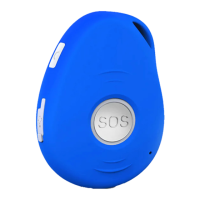
This document serves as a user guide for the EV07 3G-GPS Tracker, a waterproof (IPX5) and miniature personal remote positioning device. It integrates U-blox GPS and GSM/GPRS technology, designed for monitoring and protecting individuals and property across various applications. Its uses range from tracking travelers, lone workers, and mobile nursing staff to safeguarding children and the elderly, including those with dementia.
The device offers robust configuration and operation via SMS commands, allowing users to manage its features remotely. A core functionality is the ability to set up to three authorized numbers. These numbers are crucial for receiving alerts and controlling the device. To set an authorized number, users send an SMS command like A1 or A1,phonenumber. For instance, sending A1,123456789 will set the first authorized number. The device confirms successful setup with a reply like "Set mobile number 1 OK!". If an authorized number needs to be removed, a command such as A1,0 can be sent. This process is identical for setting the second and third authorized numbers using A2 and A3 respectively.
Time zone modification is another key feature, enabling the device to display accurate time information. The command TZ+ +00/-00 allows users to adjust the time zone relative to UTC. For example, tz+02 adds two hours, while tz-02 subtracts two hours. The time value must be a two-digit number, up to 23 hours. By default, the device uses UTC time. Users can also define a custom name for the device that appears in SMS content, using the command name1, username. For example, name1, Emma would set the device's name to Emma, and the device would reply "Add name ok!". To delete a defined name, the command name0 is used.
Location tracking is a primary function of the EV07. Users can request the device's current location by sending the loc command. The device responds with GPS information, including time, latitude, longitude, speed, altitude, and a Google Maps link. This link allows users to view the device's position directly on their mobile phone's map application. The coordinates provided can also be used with Google Earth or other mapping services to pinpoint the location. For a more detailed location, the add command provides the street address, a feature that requires GPRS functionality.
The device incorporates a low battery alarm to ensure continuous operation. When the battery level drops below 15%, the device sends an SMS alert "BAT: LOW!" to all authorized numbers. Additionally, a rapidly flashing blue light warns the user to charge the device promptly. This low battery alarm can be enabled with Low1 and disabled with Low0.
For enhanced security, the device supports command password protection. By sending 123456lock, all subsequent commands (except reboot and RESET!) will require the password to be entered before the command, e.g., 123456LOC or 123456A1. The default password is 123456. To remove password protection, the command 123456unlock is used. The password itself can be changed using the Old password + H + new password format, for example, 123456H666666 would change the password to 666666. It's important to remember the new password, as losing it may require distributor assistance to restore default settings. The new password must be six digits long for the tracker to recognize it.
Geo-fence alarm functionality allows users to define virtual boundaries. Up to three geo-fences can be set using the command G+X, Y, Z, xxxM/KM. X specifies the geo-fence number (1-3), Y enables (1) or disables (0) the function, Z sets the alarm trigger for entering (1) or breaching (0) the area, and xxxM/KM defines the distance in meters or kilometers. For example, G1,1,1,100M sets geo-fence 1 to trigger an alarm when the device enters a 100-meter radius. When a geo-fence is triggered, the device sends an SMS alert "Geo fence alarm! +GPS info" to authorized numbers. The blue light flashes rapidly when this function is active. To turn off a geo-fence, commands like G1,0, G2,0, or G3,0 are used.
An over-speed alert feature helps monitor movement speed. The command speed1,+ Speed sets a speed threshold in km/h (01-255km/h). For instance, speed1,100 sets the alert at 100 km/h. If the device exceeds this speed, it sends an SMS "Over-speed! +GPS Info" to all registered phone numbers. This function can be disabled by sending speed0.
The movement alert function notifies users if the device moves beyond a specified distance. The command M1, xxxM/KM sets the distance in meters or kilometers (xxx must be 3 digits). For example, m1,100m sets the alert for movement beyond 100 meters. The device must be stationary when this function is set. If the device moves past the set distance, an SMS alarm is sent to all registered phone numbers. To turn off this function, send M0. The minimum setting for this feature is 50 meters.
A "Listen-in" or voice wiretapping feature allows authorized numbers (A1, A2, A3) to make a silent call to the tracker. The device automatically answers, enabling the caller to hear ambient sounds without any indication on the tracker itself. This function is activated by L1 and deactivated by L0.
The device also supports a motion alarm, configured with V1, xx S/M/H. This command sets the interval for motion detection, with xx representing a two-digit value for seconds (S), minutes (M), or hours (H). For example, V1,05M sets the device to detect motion every 5 minutes and send an SMS warning to all registered phone numbers. To disable this, send V0.
For discreet operation, the device's three LEDs can be turned off using the LED1 command. The device will reply "LED off," and the LEDs will stop flashing, though the device remains on. To re-enable the LEDs, send LED0.
Assisted GPS (A-GPS) significantly improves the device's startup performance and time-to-first-fix (TTFF), enhancing GPS location precision. The command AGPS1, latitude, longitude enables this feature, for example, AGPS1,22.647606,114.022583. To use A-GPS, the APN must be set, even if GPRS is off. To disable A-GPS, send AGPS0.
A crucial safety feature is fall detection, particularly useful for the elderly. The device senses height, impact, and angle (height above 1 meter, angle change over 45 degrees). If a fall is detected, authorized numbers are alerted without the user needing to press the SOS button. However, daily activities can sometimes trigger false alarms, which can be manually canceled by pressing the SOS button during the beeping. It is strongly recommended that users still press the SOS button in an emergency, as non-detection of falls can still occur. The command FL1 enables SMS alarms to all registered numbers upon fall detection. FL2 enables SMS alarms and also dials the three authorized numbers in sequence. To disable fall detection, send FL0.
The device offers control over outgoing calls. With CALL1, all registered numbers can receive a call from the device if an SOS or fall alarm is activated. CALL0 prevents registered numbers from receiving calls from the device during these alarms.
Users can disable SMS alarms, opting for alarms to be sent only via GPRS to the platform, without text messages to authorized numbers, using SMS0. To enable both SMS and GPRS alarms (the default setting), send SMS1.
To check the current settings of the device, the status command can be sent. The device will reply with a comprehensive list of settings, such as A+8613812345678 B13912345678 C13712345678; Speed: 0,100km/h; GEO:0,0,0; VB:1,10S; MV:1,100; LED:0; TZ:2.0; LI: 1; PS:1; DS:0,3M; FL:1; Bat: 95%; SMS:0;LOCK:0. In this reply, "0" indicates a function is turned off, and "1" indicates it is turned on.
For troubleshooting or resetting, the device can be rebooted using the reboot command, which restarts the device without changing any settings. To restore all settings to their factory defaults, the RESET! command is used.
The EV07 offers five distinct working modes to optimize battery life and functionality:
PS0. In this mode, both GSM and GPS chips are continuously active, providing real-time tracking. Battery life is typically 18-24 hours.PS1. This is the default mode where the GPS chip is off when there is no movement, phone usage, alarm, or SMS activity. The GSM/GPRS chip remains active to receive calls, SMS, and transmit location. The GPS chip activates upon motion, incoming calls, or SMS. Under normal use, the battery can last 3-7 days.DS1 or DS1,xxM/H. In this mode, both GSM and GPS chips are off to conserve power, meaning the device cannot receive calls or SMS. It is only activated by movement. Once movement is detected, it operates for a set time and then returns to sleep if no further movement is detected. Battery life can extend up to 40 days if there is no movement. To turn off this function, send DS0.Mode4. In this mode, the device can always receive SMS and calls. However, the GPS chip only wakes up and updates its location to the tracking platform if the user presses a button or receives a phone call/text message. Otherwise, the GPS chip remains in sleep mode.Mode5,xxS/M/H. For example, Mode5,10M sets the device to update its location to the tracking platform every 10 minutes. In this mode, the device can always receive SMS and calls, and it updates its location according to the set time interval.For GPRS functionality, users must set up the APN (Access Point Name) by sending an SMS command: S1, APN, user name, password. The APN is provided by the SIM card provider. If there is no user name or password, these fields can be left blank. For example, S1,internet would set the APN to "internet". After sending the command, the device replies "Set APN OK! GPRS connecting" and will come online after a short while.
The GPRS time interval for updates can also be set via SMS using TIxxS/M/H, where xx is a two-digit value (01-99) for seconds (S), minutes (M), or hours (H). For example, TI01M sets the device to update every 1 minute. The device replies "Set updating time interval OK!". To disable GPRS, send S0, and the device will reply "GPRS OFF".
The device features an 8MB built-in flash memory. This memory stores GPS information when there is no GSM network coverage (e.g., in remote areas, mountainous terrain, or underground). Once GSM network coverage is restored, the device automatically transmits the stored GPS locations to the WEB server. To delete stored tracking history data, the flush command is used, which stops the device from sending this data to the tracking platform.
Maintenance guidelines are provided to extend the unit's life. Users are advised not to use or store the unit in dusty, overheated, or over-cooled places. Cleaning should be done with a dry cloth, avoiding chemicals or detergents. Disassembling or refitting the unit is not recommended, and using unauthorized batteries may lead to unwanted situations.
 General
| GSM Frequency | 850/900/1800/1900MHz |
|---|---|
| GPS Accuracy | 5m |
| Waterproof Level | IP65 |
| GPS Chip | MTK |
| Battery | Li-ion |
| Battery Life | 5 days |
| Charging Time | 2 hours |
| Compatibility | Android, iOS |

 To Next Page