EasyManua.ls Logo

KEHUA TECH BCS-B-H Series - User Manual

KEHUA TECH BCS-B-H Series
96 pages
Print Icon
To Next Page IconTo Next Page
Loading...
Power Conversion System
BCS-B-H Series (1000K-1500K)
User Manual

Table of Contents

Questions and Answers

Summary

Foreword

Summaries

Introduces the manual's purpose and content.

Suitable Model

Lists the BCS-B-H series models covered by the manual.

Symbol Conventions

Explains the meaning of safety symbols used in the manual.

Safety Description

Safety Announcements

Provides essential safety information and warnings before operation.

Safety Instructions and Warnings

Details specific hazard warnings (DANGER, WARNING, CAUTION) and operational safety instructions.

Operator and Environmental Requirements

Details operator qualifications, installation environment criteria, and escape route mandates.

Overview

Product Introduction

Introduces the PCS, its applications, and system composition.

Model Designation

Explains the nomenclature for BCS-B-H series models.

Key Features

Highlights core capabilities like battery management and performance.

Appearance and Operation Panel

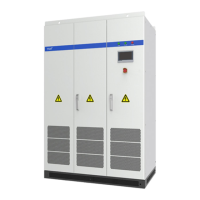
Describes the physical unit and its front panel controls.

Structure and Components

Details internal layout and key parts like switches and breakers.

Working Principles and Status

Explains operational mechanisms and different states.

Operating Modes

Outlines grid-tied and off-grid functionality.

Communication Methods

Describes how the PCS interfaces with other systems.

Installation

Installation Procedure Overview

Presents the general sequence for installing the PCS.

Preparation and Tools

Lists necessary tools and pre-installation steps.

Site and Clearance Requirements

Specifies installation environment, site conditions, and spatial needs.

Heat Dissipation and Ventilation

Details requirements for managing heat generated by the PCS.

Transportation and Handling

Provides guidelines for safely moving and lifting the unit.

Unpacking and Initial Checks

Describes how to unpack and inspect the PCS after delivery.

Electrical Wiring and Connections

Covers AC/DC wiring, grounding, and terminal connections.

Final Installation Verification

Lists checks to ensure the installation is complete and correct.

Touch Screen Operation

Menu Navigation Structure

Illustrates the hierarchy of the touch screen interface.

Main Monitoring Interface

Describes the primary display for system status and parameters.

User Authentication

Explains the login process for accessing system functions.

Power Control (ON;OFF)

Details how to start and stop the PCS via the touch screen.

Energy Data Monitoring

Covers accessing daily, monthly, and total energy consumption/production.

System Functions Overview

Introduces access to running info, history, system info, and settings.

Historical Data Access

Explains how to view past events, faults, and operational data.

System Information Display

Shows how to view model, hardware, and software versions.

Configuration Settings

Covers general system parameter adjustments.

Engineering and Battery Settings

Details advanced configuration for engineers and battery management.

Profit Optimization Settings

Explains setup for charge/discharge periods and electricity pricing.

Communication Parameter Setup

Covers network, Modbus, and IEC protocols configuration.

Screen and Display Settings

Details NTP, time synchronization, language, and brightness.

Log Management and Export

Covers handling system logs and data export.

Password Management

Explains how to change user passwords.

Energy Measurement Calibration

Describes how to adjust energy meter readings.

System Reset to Defaults

Details restoring the PCS to factory settings.

Fault Indication and Management

Explains how the system displays and handles current faults.

System Commissioning

Initial Operation Checks

Outlines pre-operation verifications for voltage, polarity, and connections.

Startup Sequence

Provides the step-by-step procedure for powering on the PCS.

Emergency Shutdown Procedures

Details how to power off the unit in emergency or fault conditions.

Restarting After Emergency Power Off

Explains the process to resume operation after an emergency shutdown.

Routine Maintenance

Maintenance Guidelines

Offers general advice for effective PCS maintenance.

Machine Room Environment Management

Covers maintaining the installation site's conditions.

Preventive Maintenance Tasks

Lists scheduled tasks for ensuring equipment reliability.

Maintenance Safety Precautions

Outlines essential safety measures during maintenance activities.

Troubleshooting

Common Faults and Resolutions

Lists typical issues, their causes, and solutions.

Maintenance Operation Procedure

Provides a safe process for performing maintenance on the PCS.

Package, Transportation and Storage

Product Packaging Details

Describes the packaging materials and orientation requirements.

Safe Transportation Guidelines

Provides instructions for avoiding damage during transit.

Storage Conditions and Period

Outlines environmental requirements and storage limitations.

Technical Specifications

Quality Assurance

Acronyms and Abbreviations

KEHUA TECH BCS-B-H Series Specifications

General IconGeneral
BrandKEHUA TECH
ModelBCS-B-H Series
CategoryUPS
LanguageEnglish

Related product manuals