9
Basic Operation
NETWORK
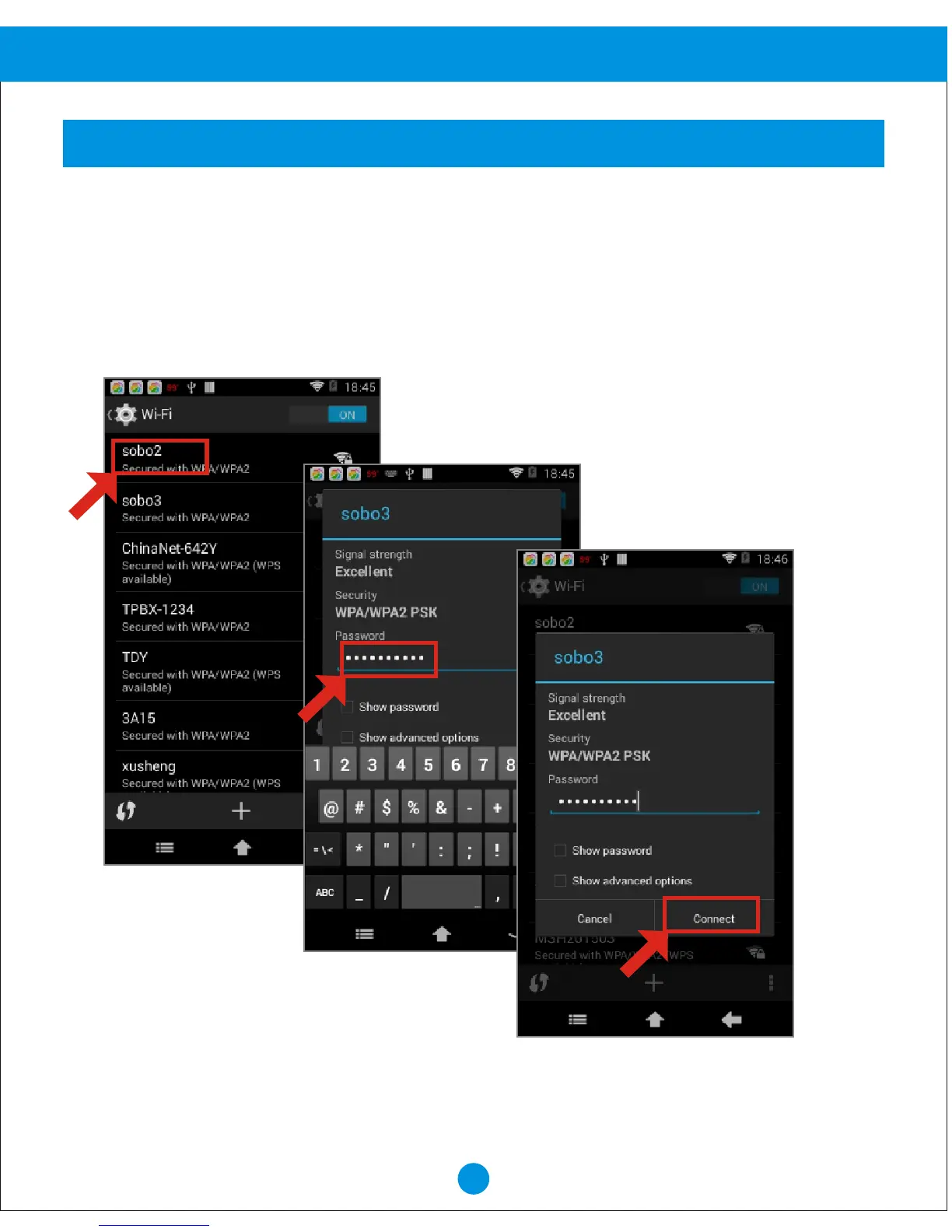
Your device scans for available Wi-Fi networks and displays the names of those it finds,
Secured networks are indicated with a Lock icon, if your device finds a network that you
connected to previously, it connects to it, if not:
Scan
1. Touch the Network you want to connect to.
2. Use the keyboard to enter the Password.
3. Touch "Connect".


 To Next Page