10
Basic Operation
DISPLAY
Brightness
Set the default screen brightness.
1. From Home screen, touch "SETTINGS" "SETTINGS” "Display" "Brightness".
2. Touch and drag the slider to set the brightness.
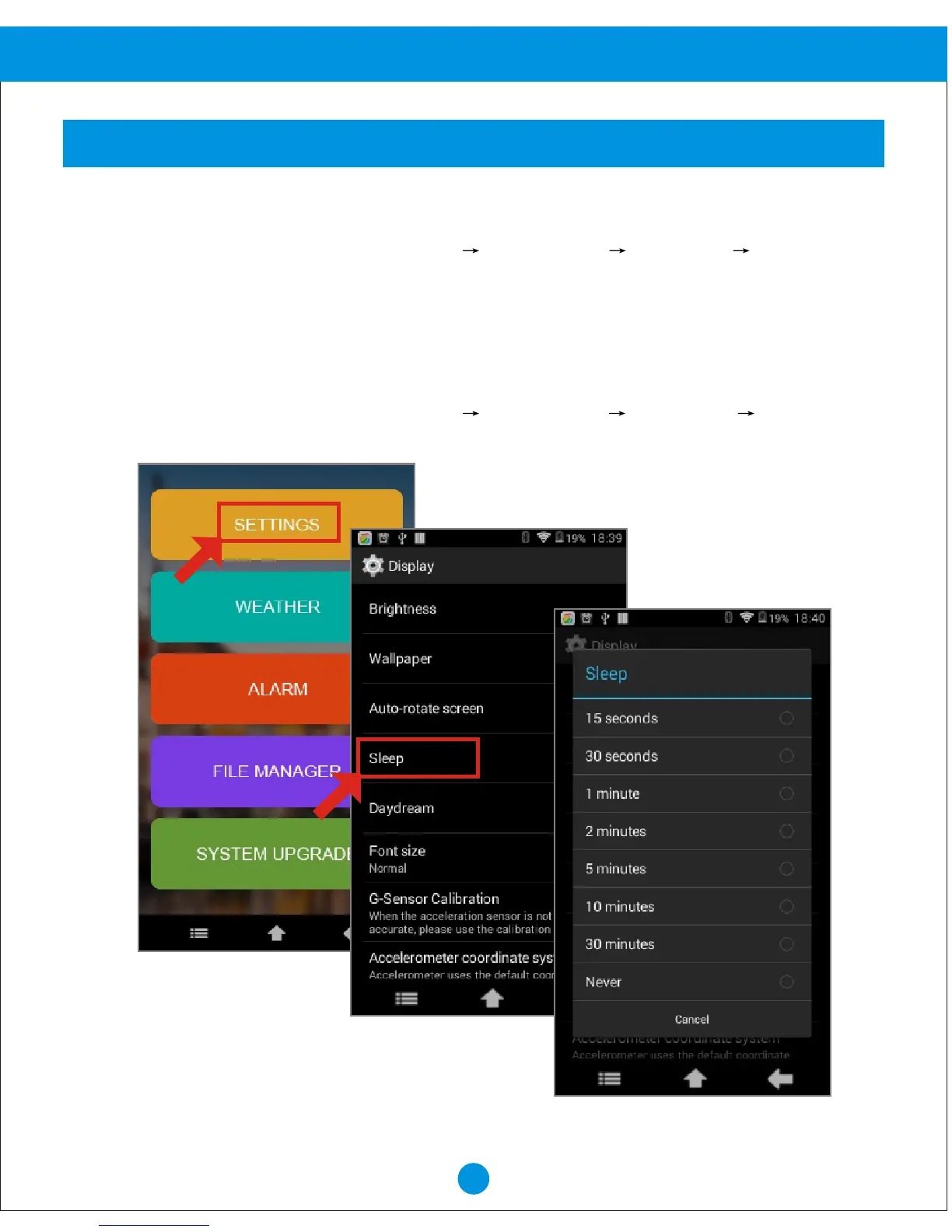
Sleep
Set the length of delay between the last key press or screen touch and the automatic screen
timeout (dim and lock).
1. From Home screen, touch "SETTINGS" "SETTINGS" "Display" "Sleep".
2. Select the desired setting.


 To Next Page