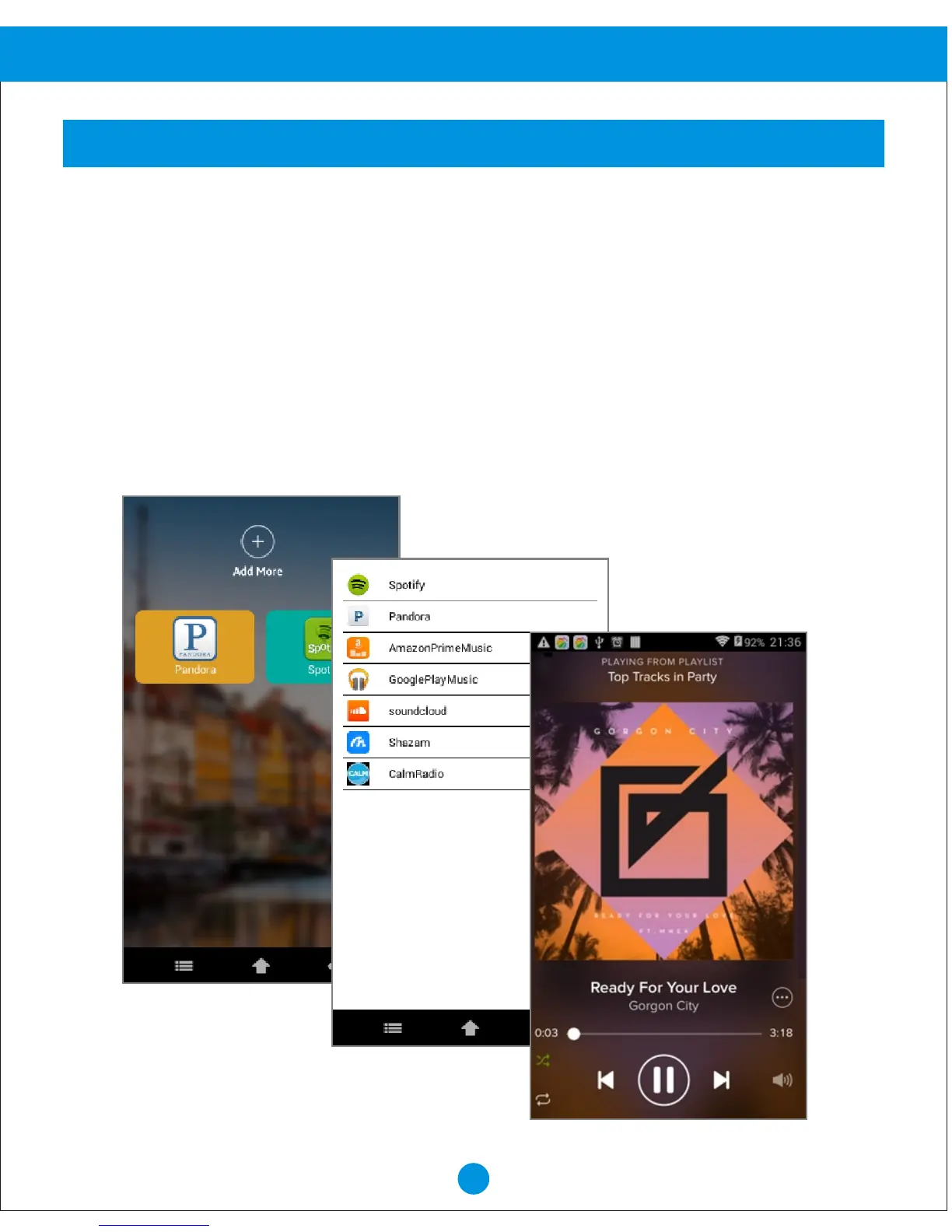
If you are using your device for the first time, please follow below instructions how to install
the music app onto the device. After the initial setup, you may just touch the music app
on the display to stream music.
1. From Home screen, Touch "STREAMING MUSIC".
2. Touch "+" to see the supported apps.
3. Touch the app that you like to add to your device.
4. Touch "Yes" in the pop up window.
5. Touch "Yes" to confirm the download (please do not change the screen during download).
6. Touch "Yes" to start the installation.
7. Touch "Next" and then "install" to install the app.
8. Touch "Open" to start using the application or "Done" to go back to the main menu.
11
STREAMING MUSIC
Advanced Operation


 To Next Page