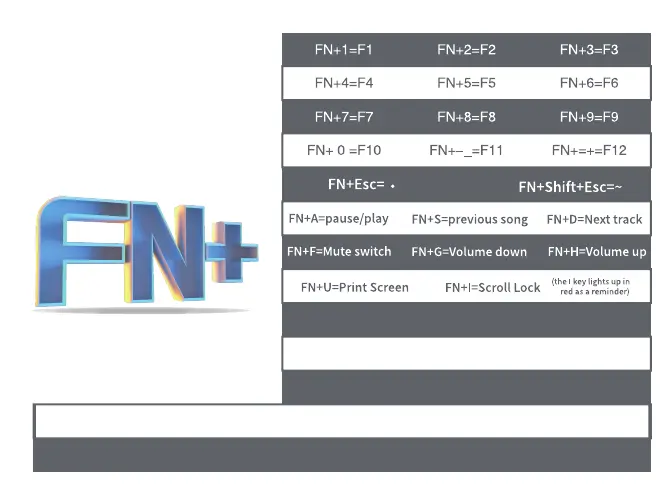
FN+O=Pause FN+J=Insert
FN+K=Home
FN+L=Page Up
FN+M=Delete
FN+<,=End
FN+>.=Page Down
FN+;:=Light effect to the left
(some dynamic lighting effects support)
FN+’”=light effect to the right (some dynamic lighting effects support)
FN+right shift=open driver/close driver
Fn+Tab=Restore the keyboard to factory settings (press and hold for 5 seconds)
FN+}]=software light switch
(user can change it through driver)



 To Next Page