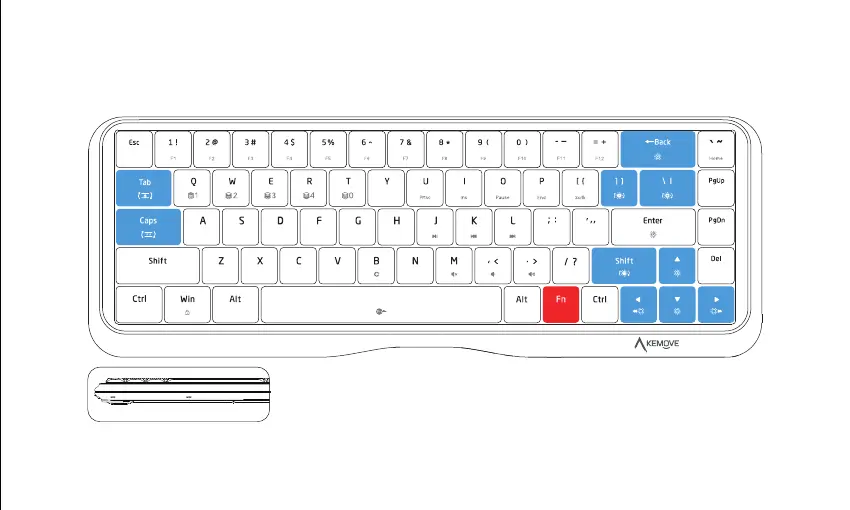
Fn+↑ : Increase light brightness
Fn+↓ : Weaken light brightness
Fn+← : Speed down light effect
Fn+→ : Speed up light effect
Fn+Backspace : Turn the light on / off
Fn+] }
: Switch to the customerized lighting effect
Fn+\ ¦ : Switch lighting mode
Fn+Right Shift : Change the color of light
Fn+Ta b : Switch light piping color
Fn+Capslock : Switch light piping mode
Lighting
Instruction for using Fn key
Blue area decorative light



 To Next Page