Profile & Function
Instruction for Using Fn Key
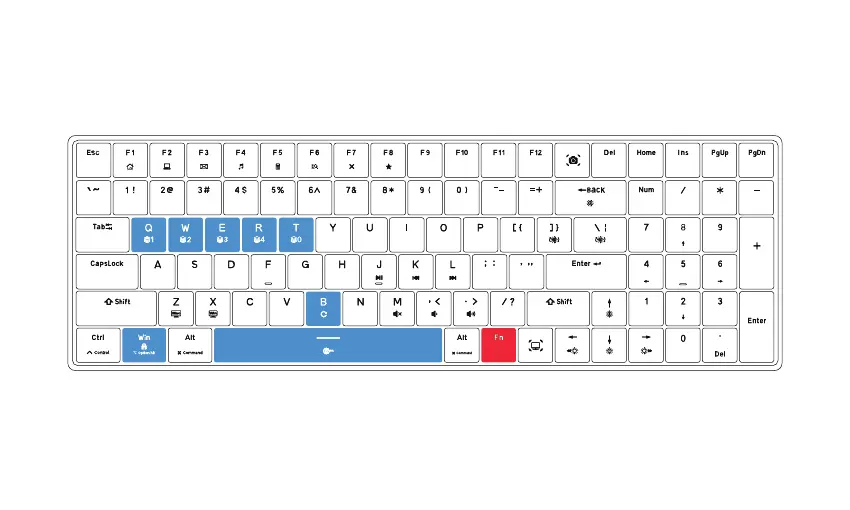
Fn+B: Press long until light of the keyboard blinks, the keyboard reset to the factory default settings.
Fn+Win: Win key locked / unlocked
(The backlight of Win key off when Win key is locked, it follows current light mode when Win key is unlocked)
Fn+Spacebar: Fn key locked / unlocked
(The backlight of Fn key off when Fn key is locked, it follows current light mode when Fn key is unlocked)
Fn+W: Profile 2Fn+Q: Profile 1 Fn+E: Profile 3 Fn+R: Profile 4 Fn+T: Profile 0



 To Next Page