EasyManua.ls Logo

Kenmore 111.77106 - User Manual

Kenmore 111.77106
30 pages
Print Icon
To Next Page IconTo Next Page
Loading...
Use & Care Guide
Manual de Uso y Cuidado
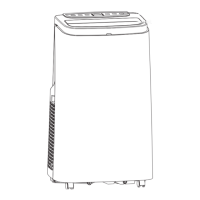
Portable Air Conditioner
Aire Acondicionado Portatil
Models/Modelos
111.77106 - 10000 BTU
111.77126 - 12000 BTU
Sears Brands Management Corporation
Homan Estates, IL 60179 U.S.A.
www.kenmore.com

Questions and Answers

  • A
    Ashley ThomasAug 3, 2025
    Why is my Kenmore 111.77106 not cooling well?
    • H
      hayden90Aug 3, 2025
      Several factors can impact the cooling performance of your Kenmore Air Conditioner. Check if direct sunlight is entering the room; if so, close the curtains. Ensure that doors and windows are closed, especially if there are many people present or other heat sources are active. A dirty filter screen can also reduce cooling efficiency, so clean or replace it. Finally, make sure that neither the air inlet nor the outlet is blocked by any obstructions.
  • P
    Paula WalkerAug 12, 2025
    What to do if my Kenmore 111.77106 doesn't work?
    • T
      tjacobsAug 12, 2025
      If your Kenmore Air Conditioner isn't working, there could be several reasons. First, ensure the unit is properly connected to a power socket with electricity and turned on. If the display shows 'FL', discharge the water inside. The unit should be operated within an ambient temperature range of 44-95 °F (7-35°C). In cooling mode, make sure the room temperature isn't lower than the set temperature. In dehumidification mode, the room temperature must be greater than 62 °F (17 °C).
  • J
    Jeffrey ButlerAug 23, 2025
    What to do if my Kenmore Air Conditioner remote control doesn't work?
    • W
      walkerjefferyAug 23, 2025
      If the remote control for your Kenmore Air Conditioner isn’t working, first, move closer to the air conditioner, ensuring the remote is pointed directly at the remote control receiver on the unit. Also, check and replace the batteries, as they may be dead.

Summary

Important Safety Instructions

Power Plug

Explains the power plug's damage-sensing device and testing procedure.

Features and Components

Control Panel

The main control interface for operating the unit.

Air Louvers

Adjustable vents for directing airflow.

Casters

Wheels for easy movement of the unit.

Remote Control Storage

Designated spot for storing the remote control.

Upper Filter Grille

Protective cover for the upper air filter.

Drainage Tube Port

Outlet for connecting a drainage tube.

Air Exhaust Vent

Outlet for the hot air exhaust hose.

Lower Filter Screen

Protective cover for the lower air filter.

Lower Drainage Port

Port for draining water from the unit's base.

Handle

Grips on the sides for carrying the unit.

Plug Storage Plate

Plate on the back for storing the power cord.

Lower (Air Intake) Filter Grille

Protective cover for the lower air intake filter.

Power Cord

Cable for connecting the unit to a power source.

3-prong Power Plug

The plug that connects to the electrical outlet.

Air Exhaust Hose Inlet Coupler

Connector for attaching the exhaust hose to the unit.

Air Exhaust Hose

Hose used to expel hot air.

Air Exhaust Hose Flared Outlet Coupler

Connector for attaching the exhaust hose to the window slider.

Window Slider Kit Piece 1

First part of the window slider kit.

Window Slider Kit Piece 2

Second part of the window slider kit.

Installation and Adjustment

Air Exhaust Hose Installation

Steps for connecting the air exhaust hose to the unit and window slider.

Position Unit Near Window

Instructions on placing the unit near the window for operation.

Control Settings

LED Control Panel

Overview and function of the unit's LED control panel buttons.

Remote Control

Instructions for using the remote control and its buttons.

Protective Functions

Details on frost, overflow, defrosting, and thermal protection modes.

Drainage Instructions

Manual Drainage

Procedure for manually draining water from the unit's pan.

Continuous Drainage

Steps for setting up continuous water drainage.

Maintenance

Cleaning

Instructions for cleaning the exterior surface and filter screens.

Postseason Storage

Steps for preparing and storing the unit after the cooling season.

Troubleshooting

Warranty

Kenmore 111.77106 Specifications

General IconGeneral
BrandKenmore
Model111.77106
CategoryAir Conditioner
LanguageEnglish

Related product manuals