FEED DOG CONTROL
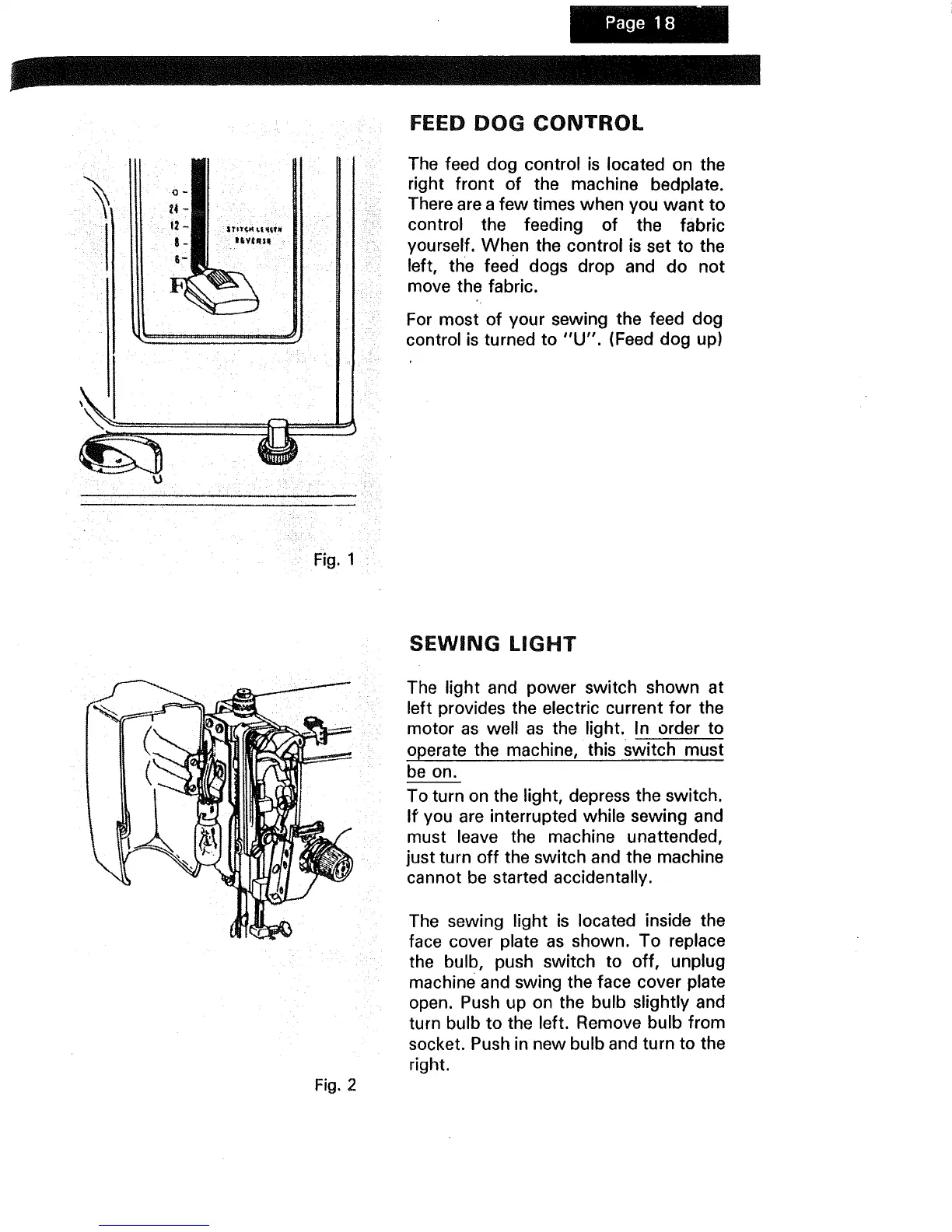
The feed dog control is located on the
right front of the machine bedplate.
There are a few times when you want to
control the feeding of the fabric
yourself. When the control is set to the
left, the feed dogs drop and do not
move the fabric.
For most of your sewing the feed dog
control is turned to "U". (Feed dog up)
Fig. 1
Fig. 2
SEWING LIGHT
The light and power switch shown at
left provides the electric current for the
motor as well as the light. In order to
operate the machine, this switch must
be on.
To turn on the light, depress the switch.
If you are interrupted while sewing and
must leave the machine unattended,
just turn off the switch and the machine
cannot be started accidentally.
The sewing light is located inside the
face cover plate as shown. To replace
the bulb, push switch to off, unplug
machine and swing the face cover plate
open. Push up on the bulb slightly and
turn bulb to the left. Remove bulb from
socket. Push in new bulb and turn to the
right.



 To Next Page