.
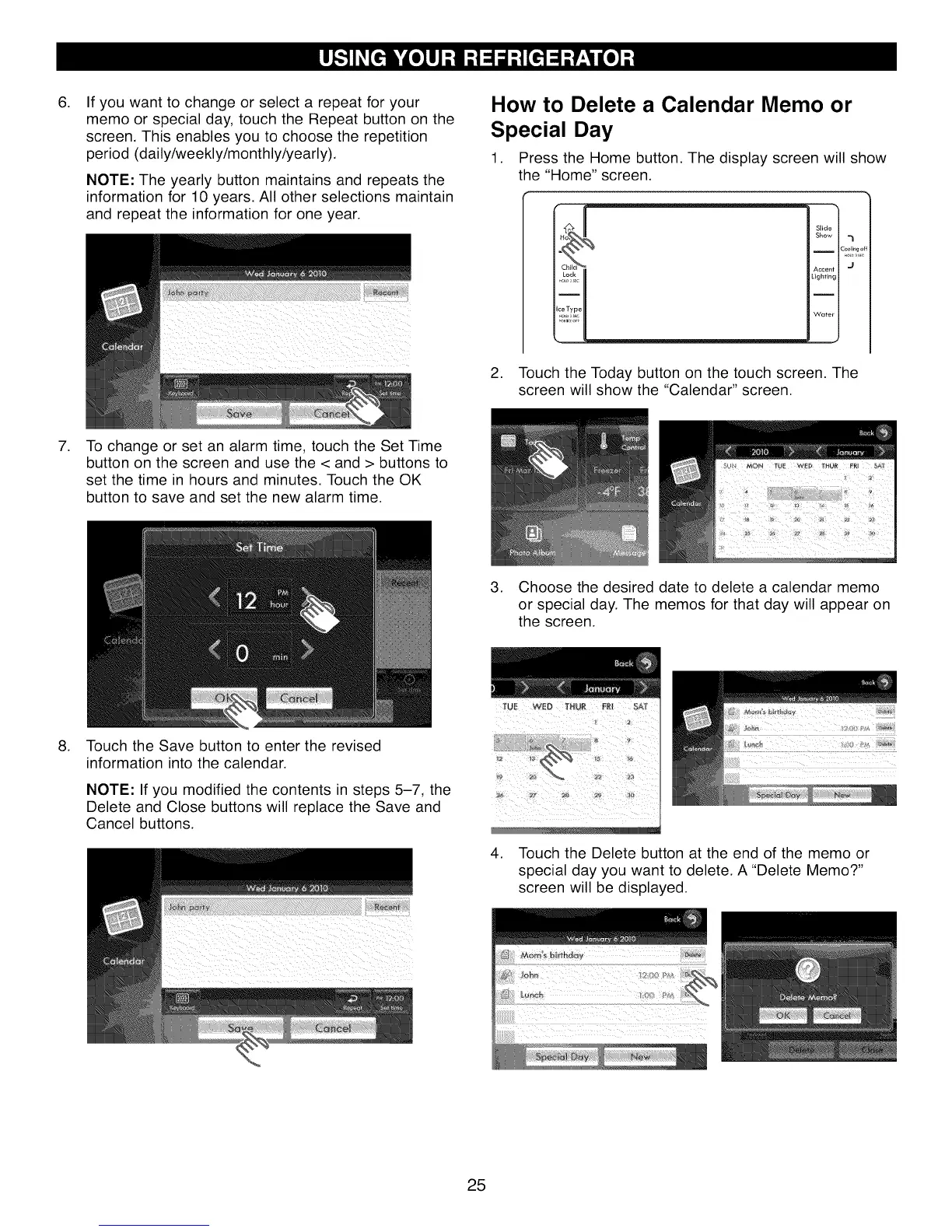
If you want to change or select a repeat for your
memo or special day, touch the Repeat button on the
screen. This enables you to choose the repetition
period (daily/weekly/monthly/yearly).
NOTE: The yearly button maintains and repeats the
information for 10 years. All other selections maintain
and repeat the information for one year.
How to Delete a Calendar Memo or
Special Day
1. Press the Home button. The display screen will show
the "Home" screen.
Slide
Show
I Cooling o
Accent
Lighting
I
Water
2. Touch the Today button on the touch screen. The
screen will show the "Calendar" screen.
.
To change or set an alarm time, touch the Set Time
button on the screen and use the < and > buttons to
set the time in hours and minutes. Touch the OK
button to save and set the new alarm time.
3. Choose the desired date to delete a calendar memo
or special day. The memos for that day will appear on
the screen.
. Touch the Save button to enter the revised
information into the calendar.
NOTE: If you modified the contents in steps 5-7, the
Delete and Close buttons will replace the Save and
Cancel buttons.
4. Touch the Delete button at the end of the memo or
special day you want to delete. A "Delete Memo?"
screen will be displayed.
25



 To Next Page