EasyManua.ls Logo

Kenmore 5030 - User Manual

Kenmore 5030
24 pages
Print Icon
To Next Page IconTo Next Page
Loading...
Owner's Manual
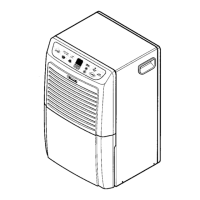
Dehumidifier
_53.
Models 5030 00o
CAUTION'.
Before using this dehumidifier,
read this manual and follow all
its Safety Rules and Operating
Instructions.
° Safety
= Operation
o Care and Cleaning
o Troubleshooting
o Espa5ol
o Frangais
Sears, Roebuck and Co., Hoffman Estates, IL 60179 USA
P/N 327000010(0002)
Question and Answer IconNeed help?

Do you have a question about the Kenmore 5030 and is the answer not in the manual?

Summary

Important Safety Instructions

For Your Safety

Do not store or use flammable vapors near the appliance.

Child Safety Precautions

Keep children away from the appliance and packing materials.

Electrical Safety

Use grounded outlet, avoid extension cords/adapters, do not remove ground prong.

Location, How It Works, and Operating Steps

Selecting an Optimal Location

Operate in an enclosed area, ensure airflow is not obstructed, consider circulation for basements.

How the Dehumidifier Works

Pulls moisture-laden air, condenses it, and releases dry air.

Initial Operating Steps

Plug in, set to MAX DRY and HI fan speed, run for 3-4 days.

Electronically Controlled Dehumidifier Operation

Turning the Unit On

Press the On/Off pad; unit starts on HI speed with a 2-minute delay.

Changing Fan Speed

Press the LO Fan Pad to switch between speeds.

Adjusting Humidity Set Point

Use arrow buttons to raise or lower the desired humidity level.

Dehumidifier Features and Controls

Full Bucket Indicator and Shut-Off

Unit shuts off when bucket is full, indicated by the "FULL" light.

Turning the Unit Off

Press the ON/OFF pad to stop the dehumidifier.

Moisture Removal Performance

Unit removes moisture until desired level is reached, judge by dampness reduction.

Optimal Operating Conditions

Unit operates best above 65°F (18°C) and in humid rooms.

Dehumidifier Features and Maintenance

Frost Control Feature

Prevents frost on the coil by temporarily turning off the compressor.

Removing Collected Water

Instructions for bucket installation, cleaning, and direct draining.

Troubleshooting and Service Checklist

Dehumidifier Not Operating

Checks for power, plug, breaker, controls, and bucket.

Dehumidifier Running Excessively

Checks for open windows, airflow, room size, and recent operation.

Unpleasant Odor from Dehumidifier

Clean the bucket according to instructions.

Room Not Drying Effectively

Checks setting, clearance, room temp, and recent operation.

Normal Fan-Like Noise

This is a normal sound of air movement.

Warranty Information

One-Year Dehumidifier Warranty

Free repair for defects in material or workmanship within one year.

Five-Year Sealed System Warranty

Free repair for sealed system defects within five years.

Warranty Exclusions

Excludes damage from misuse, fire, flood, commercial use, or corrosion.

Warranty Service Procedures

Service available by returning to nearest Sears Service Center in the US.

Sears Service Programs

Sears Maintenance Agreement

Offers service calls, preventive maintenance checks for a fee.

Customer Support and Parts

In-Home Appliance Repair Service

Service available for major brand appliances at home, 24/7.

Sears Parts & Repair Center Drop-off

Bring in products like vacuums for repair at nearest center.

Sears PartsDirect for DIY

Order parts, accessories, and manuals for DIY.

Sears Service Agreement Inquiry

Contact for purchasing or inquiring about a Sears Service Agreement.

Summary

Important Safety Instructions

For Your Safety

Do not store or use flammable vapors near the appliance.

Child Safety Precautions

Keep children away from the appliance and packing materials.

Electrical Safety

Use grounded outlet, avoid extension cords/adapters, do not remove ground prong.

Location, How It Works, and Operating Steps

Selecting an Optimal Location

Operate in an enclosed area, ensure airflow is not obstructed, consider circulation for basements.

How the Dehumidifier Works

Pulls moisture-laden air, condenses it, and releases dry air.

Initial Operating Steps

Plug in, set to MAX DRY and HI fan speed, run for 3-4 days.

Electronically Controlled Dehumidifier Operation

Turning the Unit On

Press the On/Off pad; unit starts on HI speed with a 2-minute delay.

Changing Fan Speed

Press the LO Fan Pad to switch between speeds.

Adjusting Humidity Set Point

Use arrow buttons to raise or lower the desired humidity level.

Dehumidifier Features and Controls

Full Bucket Indicator and Shut-Off

Unit shuts off when bucket is full, indicated by the "FULL" light.

Turning the Unit Off

Press the ON/OFF pad to stop the dehumidifier.

Moisture Removal Performance

Unit removes moisture until desired level is reached, judge by dampness reduction.

Optimal Operating Conditions

Unit operates best above 65°F (18°C) and in humid rooms.

Dehumidifier Features and Maintenance

Frost Control Feature

Prevents frost on the coil by temporarily turning off the compressor.

Removing Collected Water

Instructions for bucket installation, cleaning, and direct draining.

Troubleshooting and Service Checklist

Dehumidifier Not Operating

Checks for power, plug, breaker, controls, and bucket.

Dehumidifier Running Excessively

Checks for open windows, airflow, room size, and recent operation.

Unpleasant Odor from Dehumidifier

Clean the bucket according to instructions.

Room Not Drying Effectively

Checks setting, clearance, room temp, and recent operation.

Normal Fan-Like Noise

This is a normal sound of air movement.

Warranty Information

One-Year Dehumidifier Warranty

Free repair for defects in material or workmanship within one year.

Five-Year Sealed System Warranty

Free repair for sealed system defects within five years.

Warranty Exclusions

Excludes damage from misuse, fire, flood, commercial use, or corrosion.

Warranty Service Procedures

Service available by returning to nearest Sears Service Center in the US.

Sears Service Programs

Sears Maintenance Agreement

Offers service calls, preventive maintenance checks for a fee.

Customer Support and Parts

In-Home Appliance Repair Service

Service available for major brand appliances at home, 24/7.

Sears Parts & Repair Center Drop-off

Bring in products like vacuums for repair at nearest center.

Sears PartsDirect for DIY

Order parts, accessories, and manuals for DIY.

Sears Service Agreement Inquiry

Contact for purchasing or inquiring about a Sears Service Agreement.

Kenmore 5030 Specifications

General IconGeneral
BrandKenmore
Model5030
CategoryDehumidifier
LanguageEnglish

Related product manuals