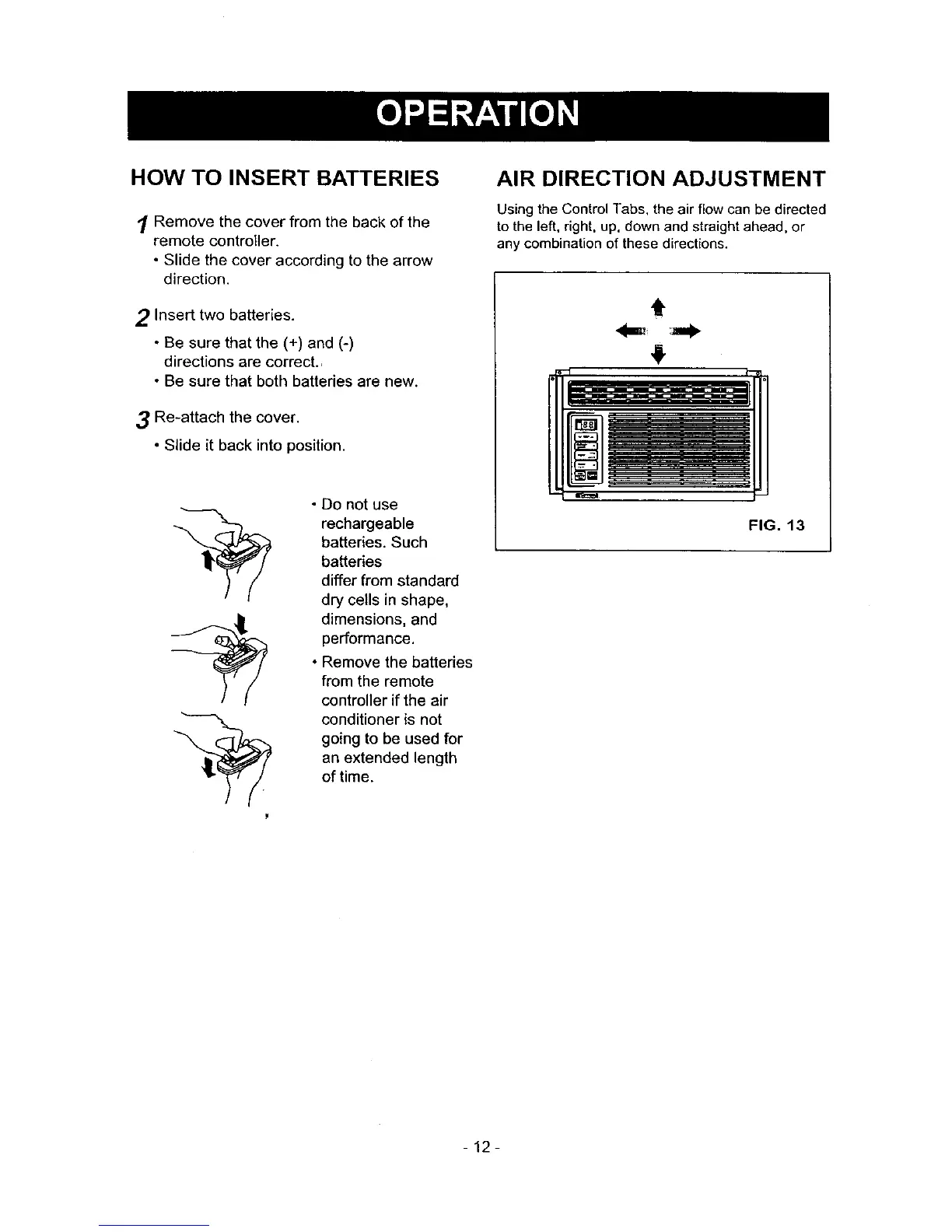
HOW TO INSERT BATTERIES
1 Remove the cover from the back of the
remote controller.
• Slide the cover according to the arrow
direction.
2 Insert two batteries.
• Be sure that the (+) and (-)
directions are correct.,
• Be sure that both batteries are new.
3 Re-attach the cover.
• Slide it back into position.
• Do not use
rechargeable
batteries. Such
batteries
differ from standard
dry cells in shape,
dimensions, and
performance.
• Remove the batteries
from the remote
controller if the air
conditioner is not
going to be used for
an extended length
of time.
AIR DIRECTION ADJUSTMENT
Using the Control Tabs, the air flow can be directed
to the left, right, up, down and straight ahead, or
any combination of these directions.
t
FIG. 13
-12-



 To Next Page