EasyManua.ls Logo

Kenmore 89940 - Cooking 3; Oven Control Panel

Kenmore 89940
35 pages
Print Icon
To Next Page IconTo Next Page
To Previous Page IconTo Previous Page
Loading...
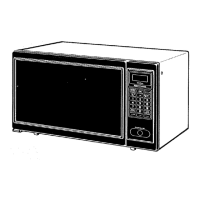
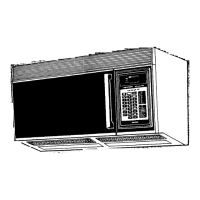
OVEN CONTROL PANEL
When you first plug in your oven, 0 will appear in the display window.
Temp-
Used for temperature
probe cooking.
Time-
Used in setting
cooking time.
Numbers-
Used to enter the:
Time of day
Cooking Time
Cooking Powers
Food temperatures TIME
I
TEMPI QUICK_) _
ON -- --
J
Display -
Used to show time of
day, cooking time,
cooking power level,
cooking temperature,
and miscellaneous
indicators during
cooking functions.
Quick-on-
Used to select and cook
from 1 to 9 minutes
automatically at 100%
power.
Popcorn-
Used to pop popcorn
for a preset time at a
Hold Warm-
Used to keep hot, cooked
foods safely warm in your
microwave oven up to
60 minutes.
Time of day- --_
Used in setting time
l
of day.
Memory-
Used for memory entry
and memory recall of
a cooking program. |
!
Auto Reheat-
Used to reheat foods for
a preset time at a preset
cooking power.
Auto Defrost-
Used to thaw frozen
meat, poultry, and fish.
Fan Control Pad-
Used to turn on the fan
at high speed or low speed
and turn off the fan.
7 I 8 1 9
HOLD _--
WARM
(_EVERAGEI DINNER
, PLATE
_MEAT I POULTRYI FISH _
preset cooking power.
L
L
Auto Roast-
Used to roast with the
temperature probe.
Auto Cook-
Used to cook common
microwave-prepared
foods without needing
to program times and
cooking powers.
Stop/Clear-
Used to stop the oven
or clear all entries
except time of day.
Power Level-
Used to select
cooking power levels.
-- Start-
Starts the oven.
Work Light Pad-
Used to turn the work
light on/off in either
the high or night
modes,

Related product manuals