25
Changing the Filter (Continued)
Ordering Replacement Filters
Order new lters through the dealer where you bought
your refrigerator. You may want to consider ordering extra
lters when you rst install your refrigerator.
Air Filter Replacement cartridge, part #9920
Air Filter (select models)
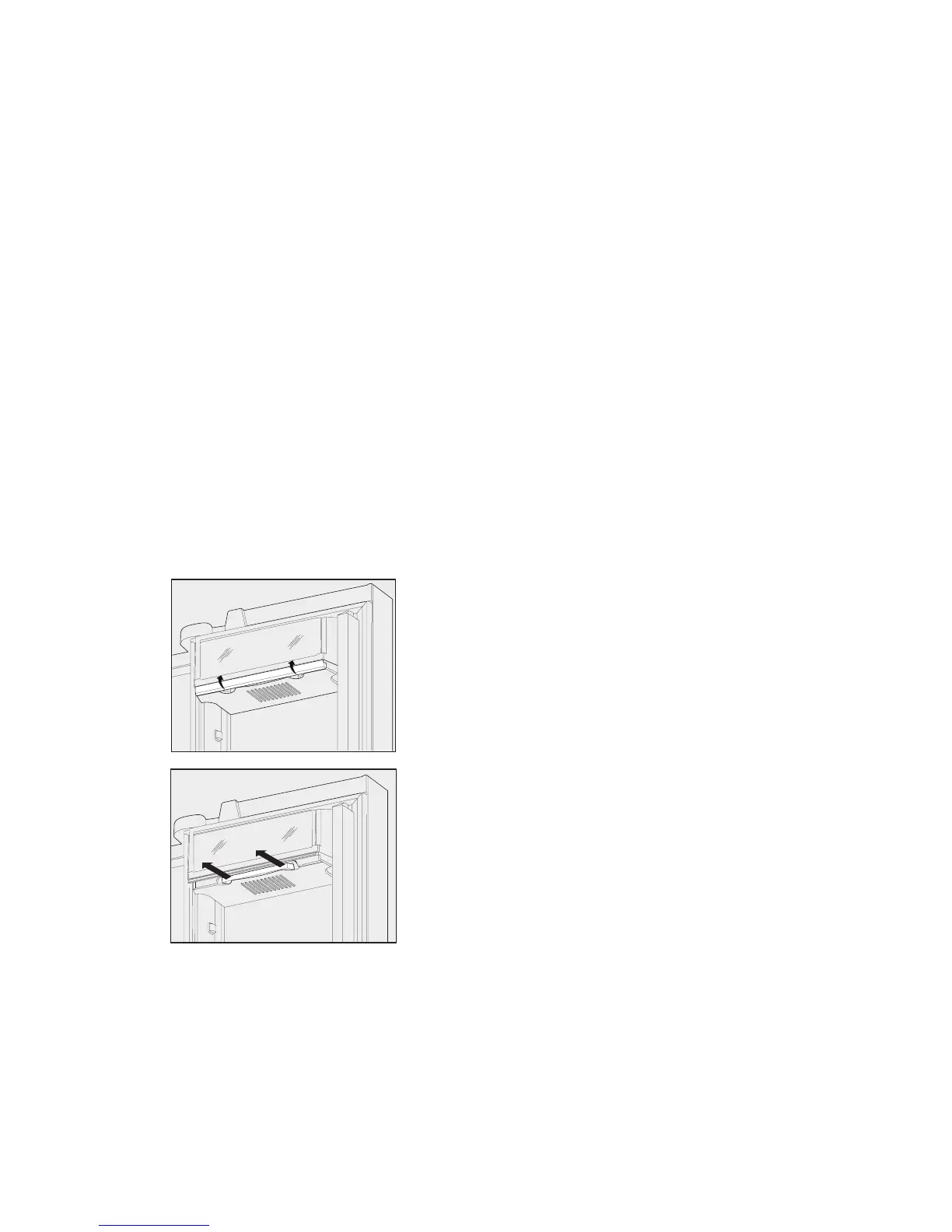
The air lter is located under the utility bin.
Replacing your Kenmoreclean!
TM
Air Filter
To ensure optimal ltering of refrigerator odors, you should
change the air lter every six (6) months (the lter status
light on the Touch Panel prompts you to replace the lter
after six (6) months).
1. Open the air lter door.
2. Remove the old lter and discard it.
3. Unpack the new lter and slide it into the housing.
The open face of the lter should be installed facing
downward.
4. To close the air lter door, push the top and bottom
to lock the door closed.
5. Press and hold the Air Filter Reset button on the
control panel for three (3) seconds. When the display
changes from “Replace” to “Good,” the status has
been reset.
6. The Air Filter Reset will turn itself o after a few
seconds.




 To Next Page