STARTING YOUR WASHER
STEP 1. Add measured detergent
directly into washer basket, Then place
a load of sorted clothes in the washer.
STEP 2, Close washer lid.
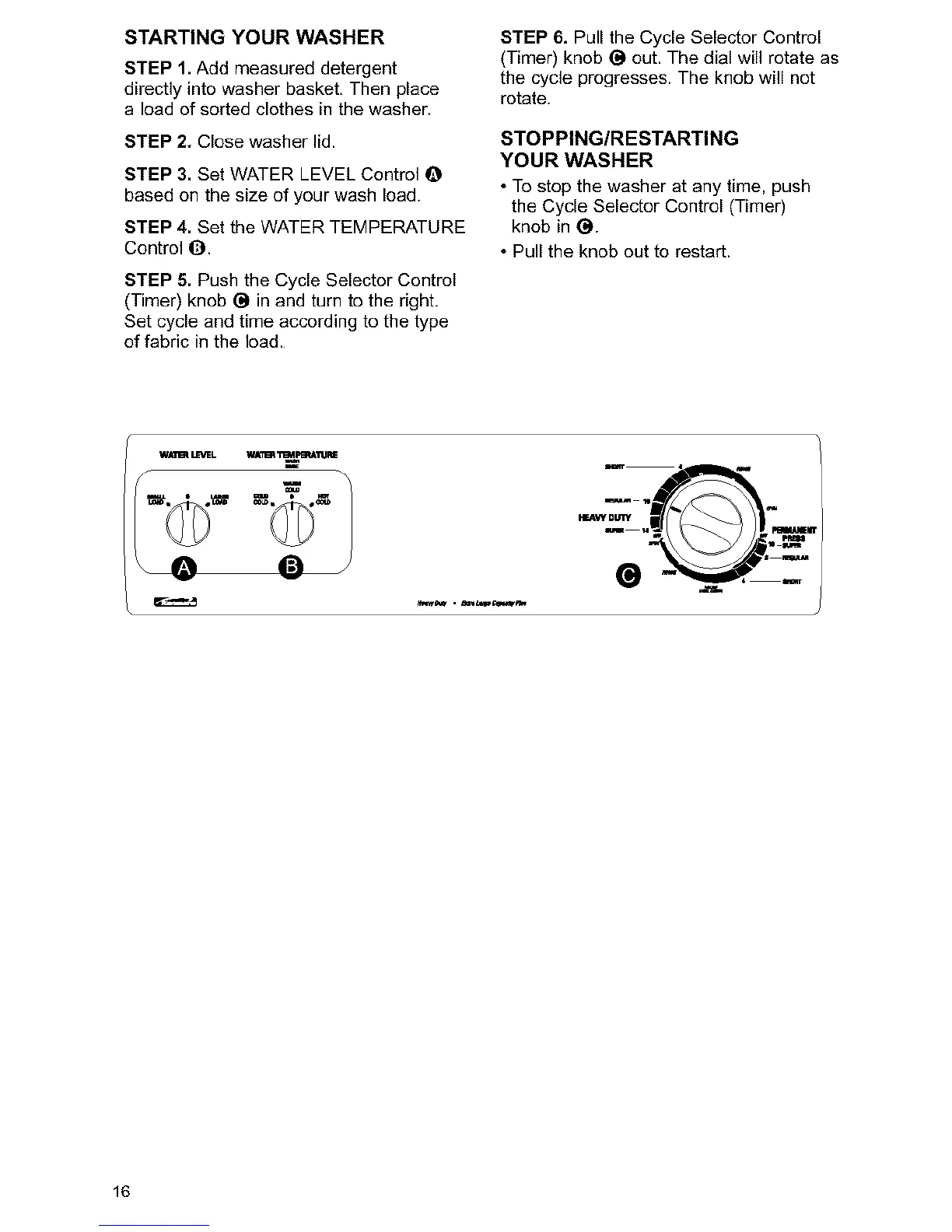
STEP 3. Set WATER LEVEL Control O
based on the size of your wash load.
STEP 4. Set the WATER TEMPERATURE
Control O.
STEP 5. Push the Cycle Selector Control
(Timer) knob O in and turn to the right,
Set cycle and time according to the type
of fabric in the load.
STEP 6. Pull the Cycle Selector Control
(Timer) knob O out. The dial will rotate as
the cycle progresses. The knob will not
rotate.
STOPPING/RESTARTING
YOUR WASHER
• To stop the washer at any time, push
the Cycle Selector Control (Timer)
knob in O.
• Pull the knob out to restart.
16



 To Next Page