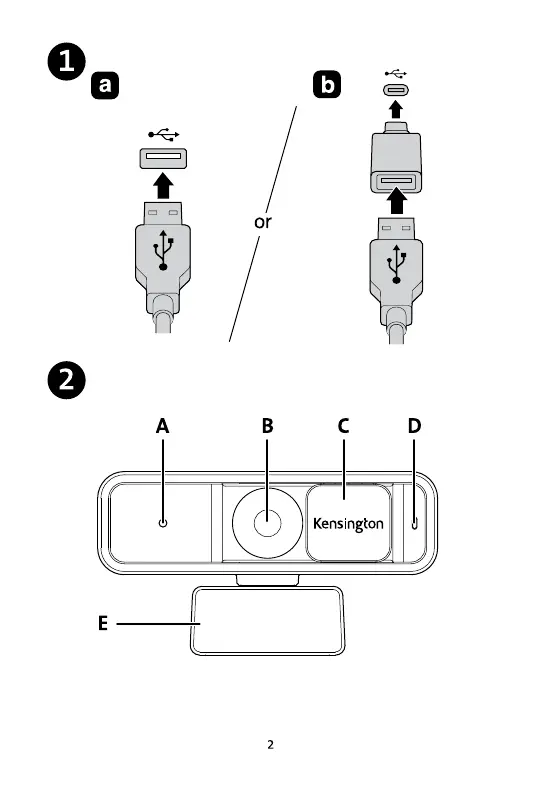
1a. Plug the webcam cable into any available USB-A port.
1b. For USB-C, connect the included USB-A to USB-C adapter to the end of the webcam
2a. LED Indicator: The camera and microphones are live when this light is on.
2b. Autofocus 1080p Lens: This lens is optimized to help you look your best when using your webcam with video conferencing applications.
2c. Privacy Cover: Manually slide this cover to the left to block the camera when you are not actively engaged in a conference call—to ensure you are only being seen when you want to be seen.
2d. Omnidirectional Microphone: Built-in noise-reduction technology helps you sound your best and allow others to focus on your voice.
2e. Universal Mounting Clip: Use this clip to mount your webcam directly onto your device.


 To Next Page