EasyManua.ls Logo

Kenwood BLP41.A0CT - User Manual

Kenwood BLP41.A0CT
47 pages
Print Icon
To Next Page IconTo Next Page
Loading...
User Manual of Product 1:
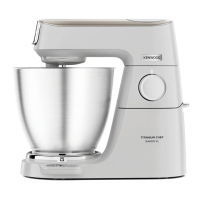
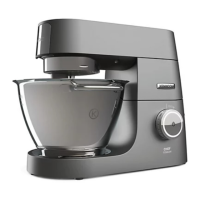
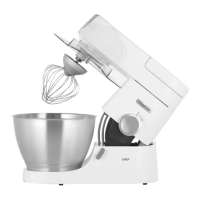
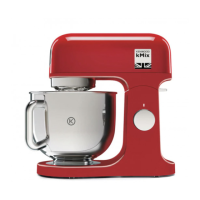
Kenwood kMix Stand Mixer for Baking, Stylish Kitchen Mixer
with K-beater, Dough Hook and Whisk, 5L Glass Bowl,
Removable Splash Guard, 1000 W, Cream
User Manual of Product 2:
Kenwood BLP41.A0CT Jug Blender, 650 W, White

Questions and Answers

  • M
    Michael WrightJul 30, 2025
    What to do if my Kenwood BLP41.A0CT Kitchen Appliances stops during operation and the mixer ready indicator light is flashing rapidly?
    • S
      Shannon LoganJul 30, 2025
      If your Kenwood Kitchen Appliances stops during operation and the ‘Mixer ready indicator light’ is flashing rapidly, it indicates that the overload protection or overheat system has been activated, or that the maximum capacity has been exceeded. Unplug the machine and check for any obstruction or overloading. Turn the speed control to “O” and then restart. If the machine still won’t operate, remove some ingredients to reduce the load and restart. If the problem persists, unplug the appliance and allow it to stand for 15 minutes, then plug it back in and reselect the speed.
  • K
    Katherine FergusonAug 6, 2025
    Why is the ‘Mixer ready indicator light’ flashing when my Kenwood BLP41.A0CT Kitchen Appliances is first plugged in?
    • D
      David NelsonAug 6, 2025
      If the ‘Mixer ready indicator light’ is flashing when your Kenwood Kitchen Appliances is first plugged in, it means that the speed control is not in the ‘O’ position. To fix this, check and turn the speed control to the ‘O’ position.
  • A
    Alexander GibsonAug 13, 2025
    How to fix Kenwood BLP41.A0CT when the whisk or K-beater knocks against the bottom of the bowl?
    • M
      Michael TateAug 13, 2025
      If the whisk or K-beater of your Kenwood Kitchen Appliances is knocking against the bottom of the bowl, or not reaching the ingredients at the bottom, it means the tool is at the wrong height and needs adjustment. Adjust the height using a suitable spanner.
  • J
    John CalderonAug 21, 2025
    What to do if the ‘Mixer ready indicator light’ flashing slowly whilst my Kenwood Kitchen Appliances is plugged in?
    • A
      Amy TuckerAug 21, 2025
      If the ‘Mixer ready indicator light’ is flashing slowly while your Kenwood Kitchen Appliances is plugged in, it indicates that the machine has been left plugged in for more than 30 minutes without being operated and has entered Standby mode. To reset the machine, turn the speed control to ‘min’ and then back to ‘O’.

Summary

Know Your Kenwood Kitchen Machine

Safety

Read instructions, handle cord safely, keep fingers away from moving parts, never leave unattended.

Preparation Steps

Before Plugging In

Ensuring correct electricity supply, wiring colours (UK), fuse protection, and earthing requirements.

Before First Use

Instructions for washing parts before initial use, referencing the 'care and cleaning' section.

Mixer Operation

Mixing Tools and Uses

Details on the uses of K-beater, whisk, dough hook, folding tool, and creaming beater.

Using the Mixer

Instructions for operating the mixer, including lifting the head, fitting tools, and starting the machine.

Mixer Usage Tips

Bread Making Guidelines

Key considerations for bread making, including maximum capacities, handling laboring, and ingredient order.

Speed and Capacity Charts

Speed and Capacity Data

Chart detailing recommended speeds, maximum times, and capacities for various tools and recipe types.

Splashguard and Tool Adjustment

Mixing Tool Adjustment

Procedure for adjusting the height of K-beater, whisk, creaming beater, and folding tool for optimal bowl contact.

Troubleshooting

Machine Stops During Operation

Solutions for the kitchen machine stopping, involving overload, overheat, or capacity limits.

Cleaning

General Cleaning

General instructions for cleaning the power unit, outlet cover, and stainless steel bowl.

Service and Customer Care

Kenwood BLP41.A0CT Specifications

General IconGeneral
Product TypeBlender
Model NumberBLP41.A0CT
Power650W
Speed Settings2
MaterialPlastic
Blade MaterialStainless Steel
Pulse FunctionYes
Weight2.8 kg
ColorWhite

Related product manuals