To Next Page


A
Alexandra RodgersSep 8, 2025
Why is my Kenwood Car Receiver displaying 'NO Voice Device'?
- EErika MataSep 8, 2025
The connected mobile phone does not have the voice recognition system, that's why Kenwood Car Receiver displays 'NO Voice Device'.


Why is my Kenwood Car Receiver displaying 'NO Voice Device'?
The connected mobile phone does not have the voice recognition system, that's why Kenwood Car Receiver displays 'NO Voice Device'.
Why is my Kenwood Car Receiver showing 'Authorization Error'?
Check whether the connected iPod/iPhone is compatible with this Kenwood Car Receiver.
Why is my Kenwood DDX3058 showing parking off?
No playback picture is shown on Kenwood Car Receiver when the parking brake is not engaged.
Why is my Kenwood Car Receiver not displaying a picture?
Turn on the screen of your Kenwood Car Receiver.
Why is there no sound coming from the speakers of my Kenwood Car Receiver?
Ensure the volume is at an audible level and check all speaker wire connections.
Why is my Kenwood DDX3058 Car Receiver showing no signal?
If your Kenwood Car Receiver is showing 'No Signal', start playback on the external component connected to the AV-IN input. Check the cords and connections. The signal input may be too weak.
How to fix miswiring DC offset error on Kenwood DDX3058?
If you are getting a Miswiring DC Offset Error on your Kenwood Car Receiver, it means a speaker cord has shorted or is in contact with the car chassis. Wire or insulate the speaker cord as needed, then reset the unit.
What to do if my Kenwood DDX3058 displays 'USB Device Error'?
If your Kenwood Car Receiver shows a 'USB Device Error', try turning the unit off and then on again. If the problem persists, try connecting a different USB device.
How to adjust Echo or noise that occurs on Kenwood DDX3058?
Adjust the microphone unit position.
Why is the sound interrupted while using a Bluetooth audio player on my Kenwood DDX3058 Car Receiver?
Reduce the distance between the unit and the Bluetooth audio player. Disconnect the device connected for Bluetooth phone. Turn off, then turn on the unit. When the sound is not yet restored connect the player again.
 General
| Resolution | 800 x 480 pixels |
|---|---|
| Touchscreen | Yes |
| Bluetooth | Yes |
| USB Port | Yes |
| Power Output | 50 watts x 4 channels |
| DVD Player | Yes |
| Apple CarPlay | No |
| Android Auto | No |
| Rear View Camera Input | Yes |
| AUX Input | Yes |
| AM/FM Tuner | Yes |
| CD Playback | Yes |
| Video Output | Yes |
| Audio Formats Supported | MP3, WMA, AAC |
| Video Formats Supported | MPEG1, MPEG2, MPEG4, WMV |
| Preamp Outputs | 3 (Front, Rear, Subwoofer) |
| Display Size | 6.2 inches |
| Preamp Voltage | 4V |
Resets the unit to factory settings if it fails to operate properly.
Optional remote controller KNA-RCDV331 is designed for controlling this unit.
Explains manual conventions like illustrations, symbols, and indications.
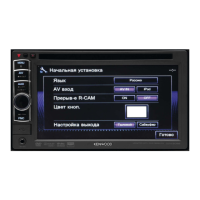
Guides through the initial setup process when powering on or resetting the unit.
Step-by-step guide to set a security code for the unit.
Explains how to activate the security indicator for theft protection.
Identifies and explains the functions of touch panel and monitor panel elements.
Guides on displaying screens and setting the clock time manually or via sync.
Instructions on turning power on/off, standby mode, and screen display.
How to adjust the audio volume and attenuate sound.
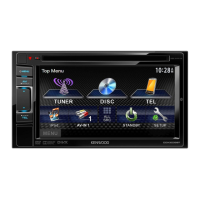
Explains how to navigate between source control, Top Menu, and Setup screens.
Details on touch screen gestures for controlling playback and menus.
Guide to choosing different sources like NAV, DISC, TEL, USB, iPod, TUNER, VIDEO, Bluetooth.
Instructions on how to insert and eject discs from the unit.
Lists various disc types and their file formats supported by the unit.
How to display playback controls and select playback modes.
Explains playback functions for DVD, VCD, DivX, MPEG, JPEG media.
Explains playback functions for CD, MP3, WMA, WAV, AAC media.
How to select tracks/folders and limitations for recordable discs.
Options for audio, subtitle, angle, picture adjustment, aspect ratio, and zoom.
Controls for repeat/random playback and direct track selection for VCD.
Settings for menu language, subtitle, audio language, down mix, dynamic range, screen ratio, and file type.
How to play files from USB and connect USB devices.
Important warnings and limitations when using USB devices.
Controls for USB playback, modes, file type, and screen ratio.
Preparation, connection, and initial playback settings for iPod/iPhone.
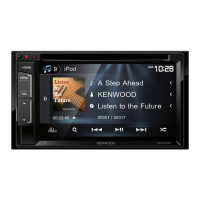
Displaying controls, selecting tracks/videos, and managing playback modes.
Explains unit control vs. iPod/iPhone control modes for playback.
How to navigate through Music and Video menus on iPod/iPhone.
Explains various buttons, indicators, and settings for radio tuning.
Shows how to view station details and text information.
How to store stations manually/automatically and use Local Seek.
How to select a preset radio station.
How to search for programs by PTY code.
How to activate/deactivate Traffic Information and News standby reception.
How to adjust network tracking for better FM reception.
How to enable automatic station search for traffic information.
Steps to connect and play an external component via AV-IN.
How to display and close the navigation screen from a connected unit.
Configuration options for the connected navigation unit.
How to adjust sound equalization, select preset modes, and store custom settings.
Adjusting sound bands and subwoofer levels for custom sound profiles.
Fine-tuning audio levels and crossover settings for speakers and subwoofer.
Changing illumination colors and setting custom backgrounds.
Playing video/JPEG, capturing, and setting screen images as background.
Adjusting picture quality like brightness, contrast, sharpness, and dimmer.
Changing aspect ratio for video playback and zooming the picture.
Steps to activate and display the rear view camera feed.
Configuration for audio output parameters like Fader/Balance, Equalizer, Loudness, X'over.
Customization options for dimmer, user customize, OSD clock, and scroll.
Customizing menu buttons and adjusting screen brightness/color.
Selecting the color system for external monitors.
Settings for AV-IN, R-CAM Interrupt, and Navigation input.
Settings for language, clock, beep, sensor, memory, security, and touch panel.
How to save and load unit settings.
Preventing changes and calibrating the touch panel.
Safety and general information for using Bluetooth devices.
Overview of Bluetooth technology and preparation steps.
Steps to pair new Bluetooth audio players and mobile phones.
How to manage registered Bluetooth devices.
Receiving calls, switching modes, and adjusting microphone volume.
Unit informs about received messages; operation via phone.
Procedures for making calls, accessing contacts, and voice dialing.
How to preset numbers and transfer phone book entries.
How to delete numbers and information on PBAP compatible phones.
Controls and settings for playing audio via Bluetooth.
Initial configuration options for Bluetooth devices.
Managing device connections, PIN codes, and pairing.
Settings for handling calls, messages, and ring tones.
Guidelines for cleaning the unit, handling discs, and preventing damage.
Details on supported file formats and playback capabilities for various media.
List of language codes for DVD/DivX language selection.
Lists common error messages and their solutions.
Troubleshooting for TUNER, Disc, AV-IN, and iPod/iPhone issues.
Troubleshooting for iPod/iPhone, USB, and Bluetooth related issues.
Technical specs for monitor, DVD player, USB interface, and Bluetooth module.
Technical specs for tuners, video, audio, and general unit parameters.
User guide for the USB Bluetooth Adapter.
Technical specifications for the USB Bluetooth Adapter.