EasyManua.ls Logo

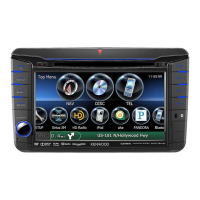
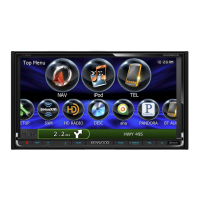
Kenwood DNX716WDABS - User Manual

Kenwood DNX716WDABS
125 pages
Print Icon
To Next Page IconTo Next Page
Loading...
im391_Ref_E_En_01 (E)© 2016 JVC KENWOOD Corporation
DNX8160DABS
DNX716WDABS
DNX5160DABS
DNX516DABS
DNX5160BTS
DNX3160BT
GPS NAVIGATION SYSTEM
INSTRUCTION MANUAL
Before reading this manual, click the button below to check the latest edition and the
modified pages.
http://manual.kenwood.com/edition/im391/
Check the latest edition

Table of Contents

Other manuals for Kenwood DNX716WDABS

Questions and Answers

  • J
    Johnny VanceAug 16, 2025
    Why is the Kenwood DNX716WDABS navigation system radio reception poor?
    • S
      Shane HarrisAug 16, 2025
      If you're experiencing poor radio reception with your Kenwood Gps navigation system, make sure the car antenna is fully extended. Also, verify that the antenna control wire is correctly connected, referring to the “Connection” section in the Quick Start Guide.
  • K
    katherinematthewsAug 19, 2025
    Why I cannot set up the equalizer on my Kenwood Gps navigation system?
    • A
      aliciamartinezAug 19, 2025
      If you cannot set up the equalizer on your Kenwood Gps navigation system, it might be because the dual zone function is enabled. To resolve this, set the dual zone function to off, referring to Zone Control (P.94).
  • J
    James WhiteAug 22, 2025
    Why I cannot set up the crossover network on my Kenwood DNX716WDABS navigation system?
    • M
      Michael MejiaAug 22, 2025
      If you cannot set up the crossover network on your Kenwood Gps navigation system, it might be because the dual zone function is enabled. To resolve this, set the dual zone function to off, referring to Zone Control (P.94).
  • A
    Ann HudsonAug 25, 2025
    What to do if I cannot select the output destination of the subsource in the dual zone on Kenwood DNX716WDABS GPS navigation system?
    • S
      Stephanie BooneAug 26, 2025
      If you're unable to select the output destination of the subsource in the dual zone on your Kenwood Gps navigation system, the dual zone function may be disabled. Enable the dual zone function by referring to Zone Control (P.94).
  • V
    vpatrickAug 28, 2025
    What to do if I cannot adjust the volume of the rear speakers on Kenwood DNX716WDABS GPS navigation system?
    • A
      Ann ThompsonAug 28, 2025
      If you're unable to adjust the volume of the rear speakers on your Kenwood Gps navigation system, the dual zone function might be disabled. Enable the dual zone function by referring to Zone Control (P.94).
  • D
    David CalhounAug 31, 2025
    What to do if there is no output from the subwoofer of Kenwood DNX716WDABS GPS navigation system?
    • C
      cody15Aug 31, 2025
      If there is no output from the subwoofer of your Kenwood Gps navigation system, it might be because the subwoofer is not set to on. To resolve this, set the subwoofer to on, referring to Speaker/ X’over setup (P.88).
  • E
    estrongSep 3, 2025
    Why is the radio reception poor on my Kenwood GPS?
    • C
      Christopher FreemanSep 3, 2025
      If you are experiencing poor radio reception with your Kenwood GPS, make sure the car antenna is fully extended. This should improve the signal quality.
  • Z
    Zachary MontoyaSep 6, 2025
    What to do if there is no output from the subwoofer of Kenwood DNX716WDABS GPS?
    • M
      melissa14Sep 6, 2025
      If there is no output from the subwoofer of your Kenwood GPS, the subwoofer might not be activated. Ensure that the subwoofer is set to the 'on' setting.
  • B
    Beverly WalkerSep 9, 2025
    Why I cannot adjust the volume of the rear speakers on my Kenwood GPS?
    • L
      Linda MooreSep 9, 2025
      If you cannot adjust the volume of the rear speakers on your Kenwood GPS, the dual zone function might be disabled. Enable the dual zone function to adjust the rear speaker volume.
  • A
    Ana ButlerSep 12, 2025
    What to do if I cannot select the output destination of the subsource in the dual zone of Kenwood DNX716WDABS GPS?
    • D
      David CollinsSep 12, 2025
      If you cannot select the output destination of the subsource in the dual zone on your Kenwood GPS, the dual zone function may be disabled. Ensure the dual zone function is enabled.

Kenwood DNX716WDABS Specifications

General IconGeneral
Display Size6.8 inches
Resolution800 x 480 pixels
GPS NavigationYes
BluetoothYes
DAB+ RadioYes
USB Ports2
SD Card SlotYes
DVD PlayerYes
AM/FM TunerYes
Voice ControlYes
Steering Wheel ControlYes
Audio Formats SupportedMP3, WMA, AAC
Video Formats SupportedMPEG-1, MPEG-2, MPEG-4
Apple CarPlayYes
Android AutoYes

Related product manuals